Verify Merchandising Analytics Data
Click here to access the Verification Guide;How to Prepare the Analysis
Click here to watch the Complete Video; For more details about Merchandising Analysis, follow the steps below as shown in the images.- Portal
- Mobile
Merchandising Analysis
For more details about Merchandising Analysis, follow the steps below as shown in the images.-
Analytics> Merchandising Analysis
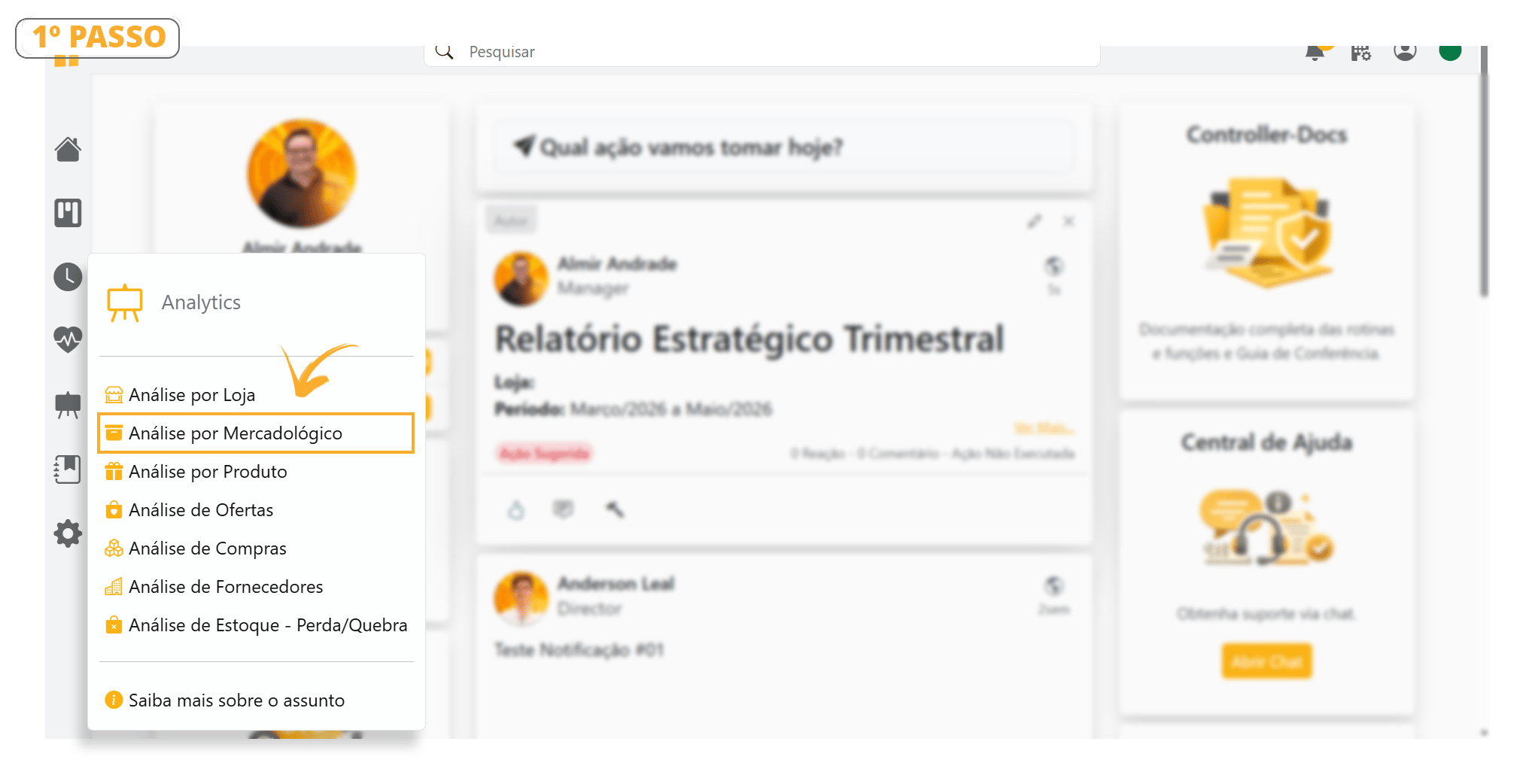
-
Learn about the Merchandising Analysis configuration bar parameters and configure them according to the desired period.
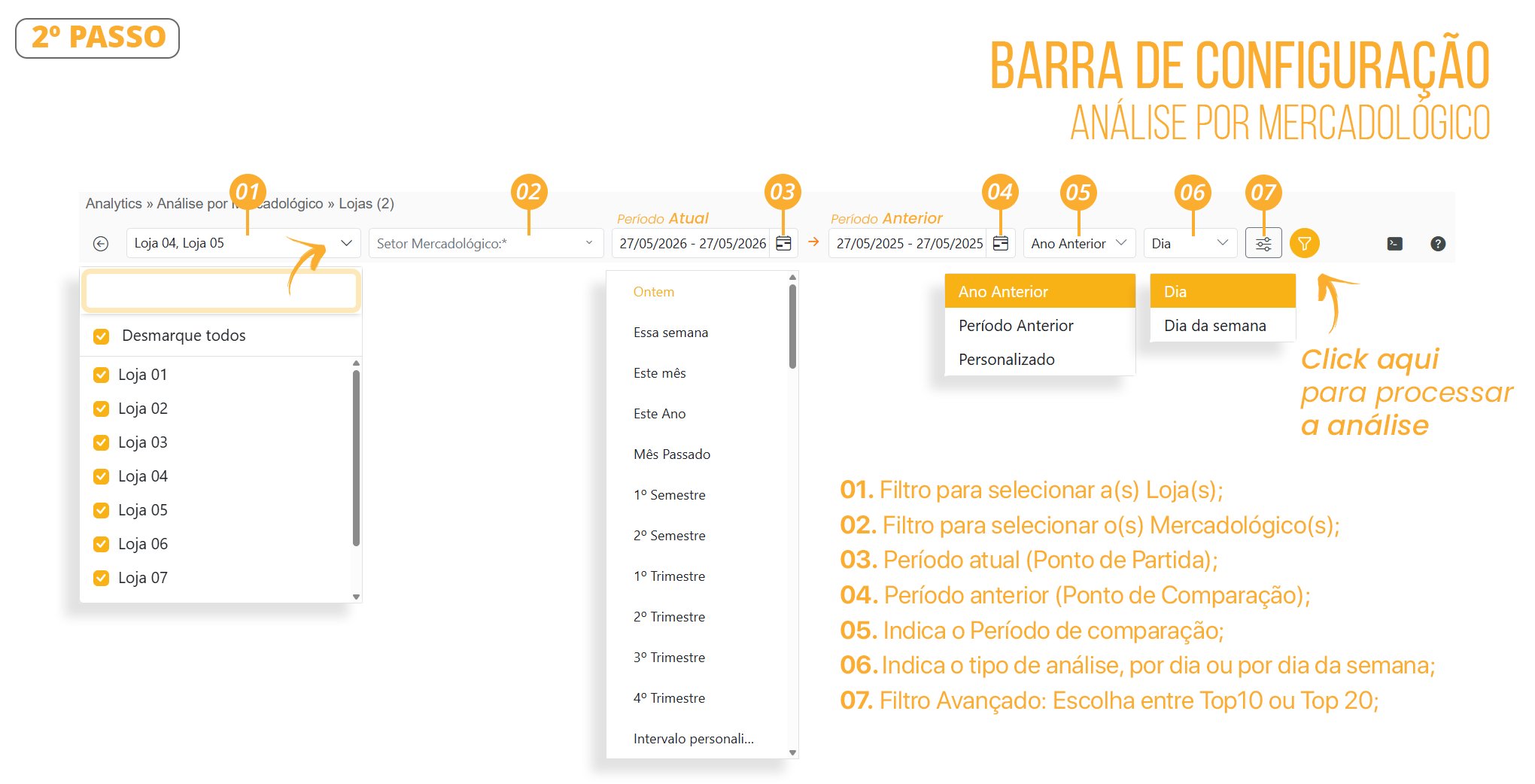
-
Follow the steps below to learn how to select a Merchandising Category.
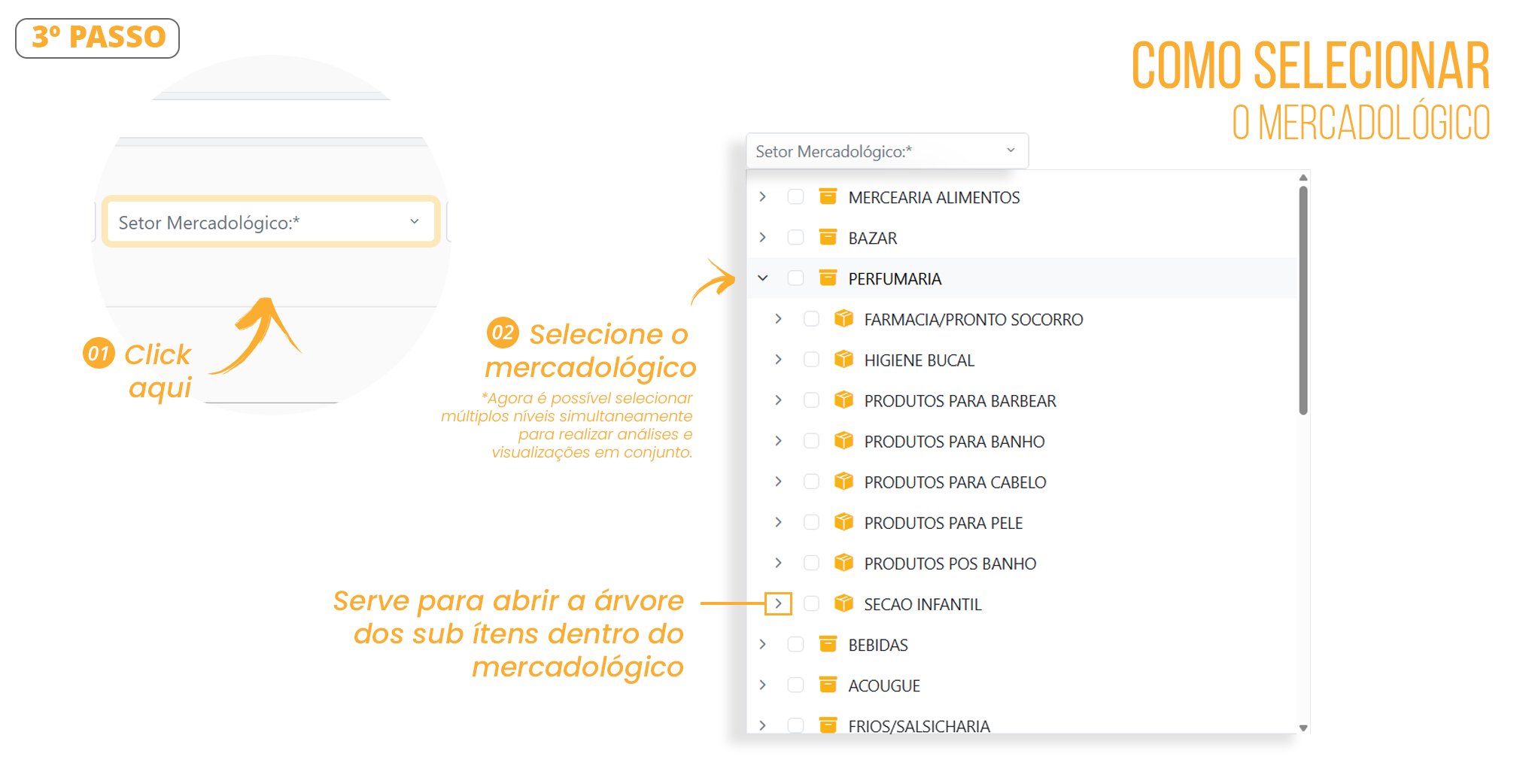
-
Example of the Dashboard screen showing the merchandising category analyses.
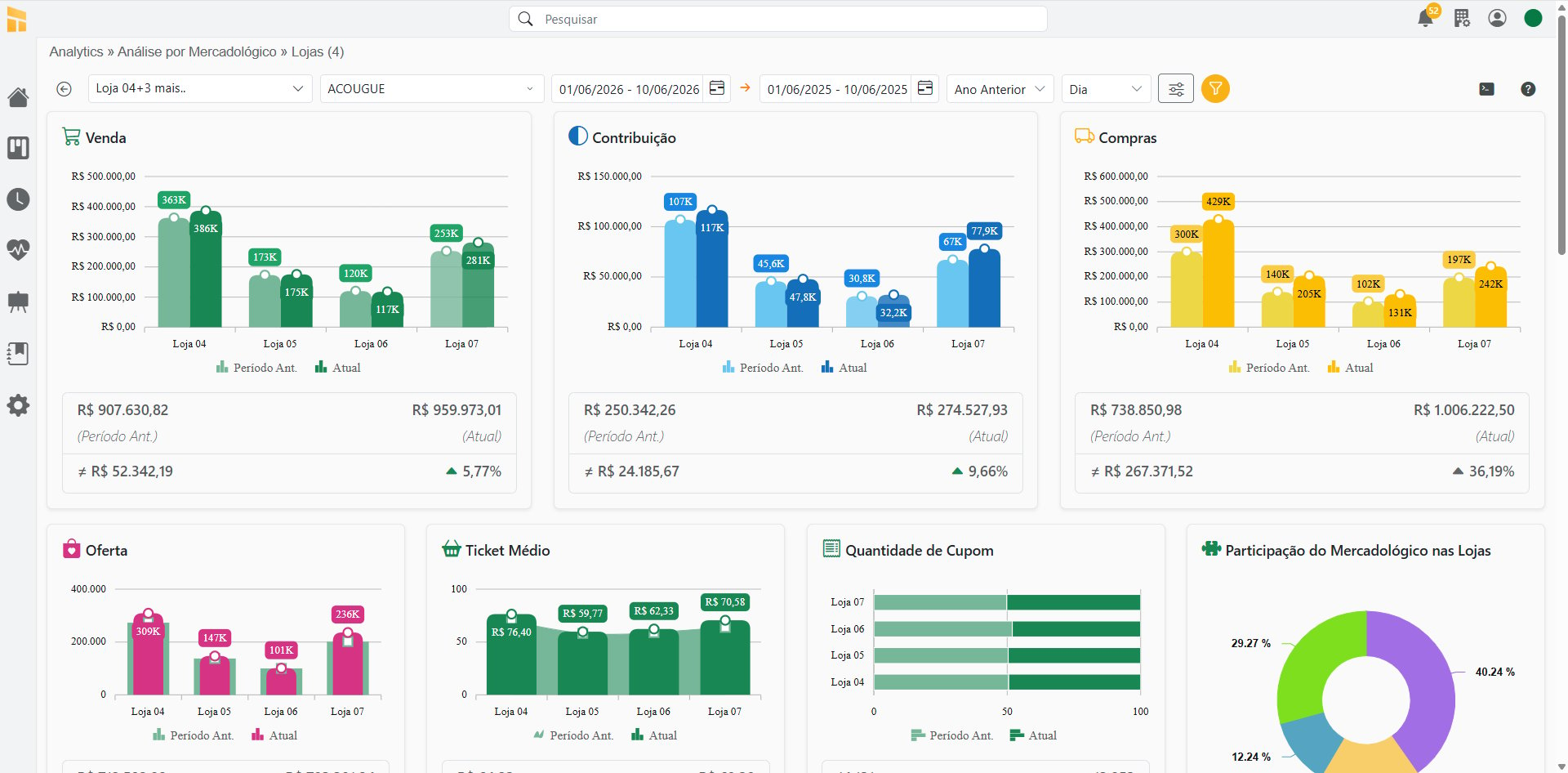
Dashboards & Charts
-
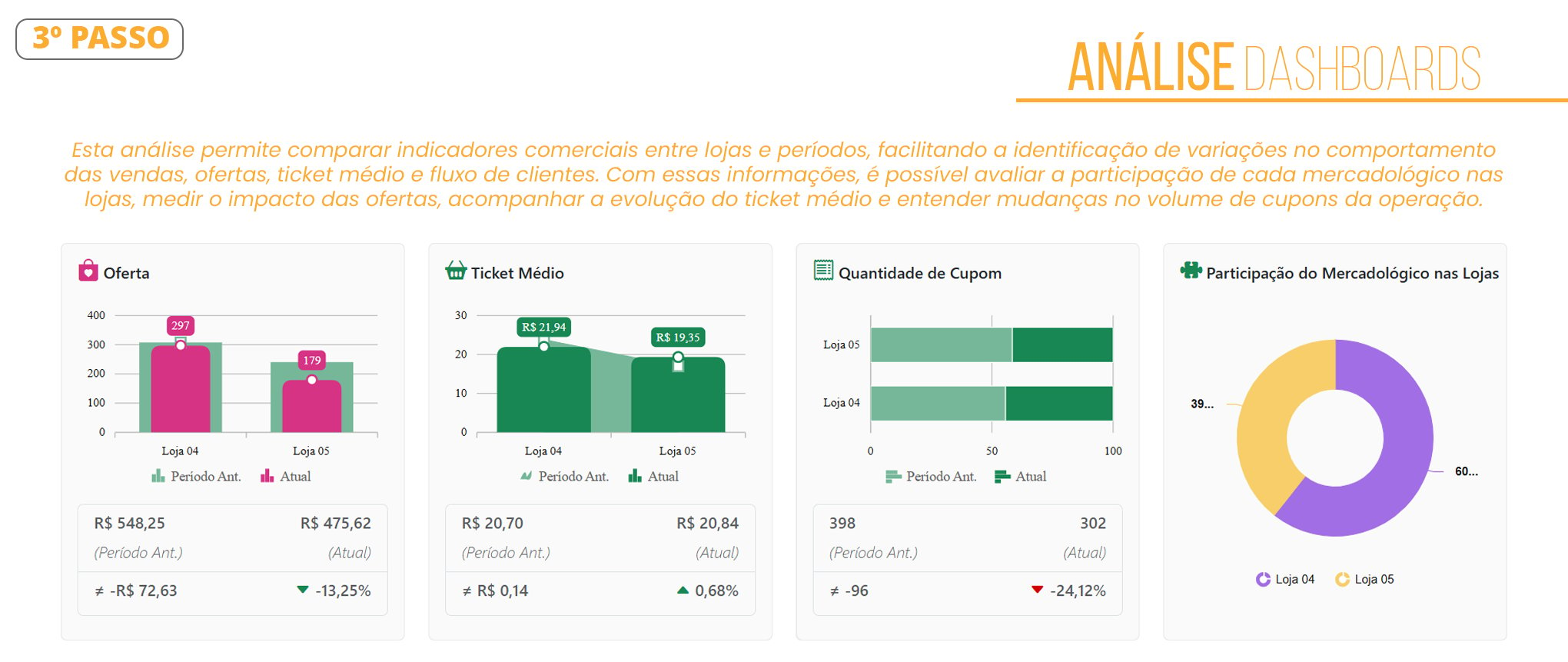
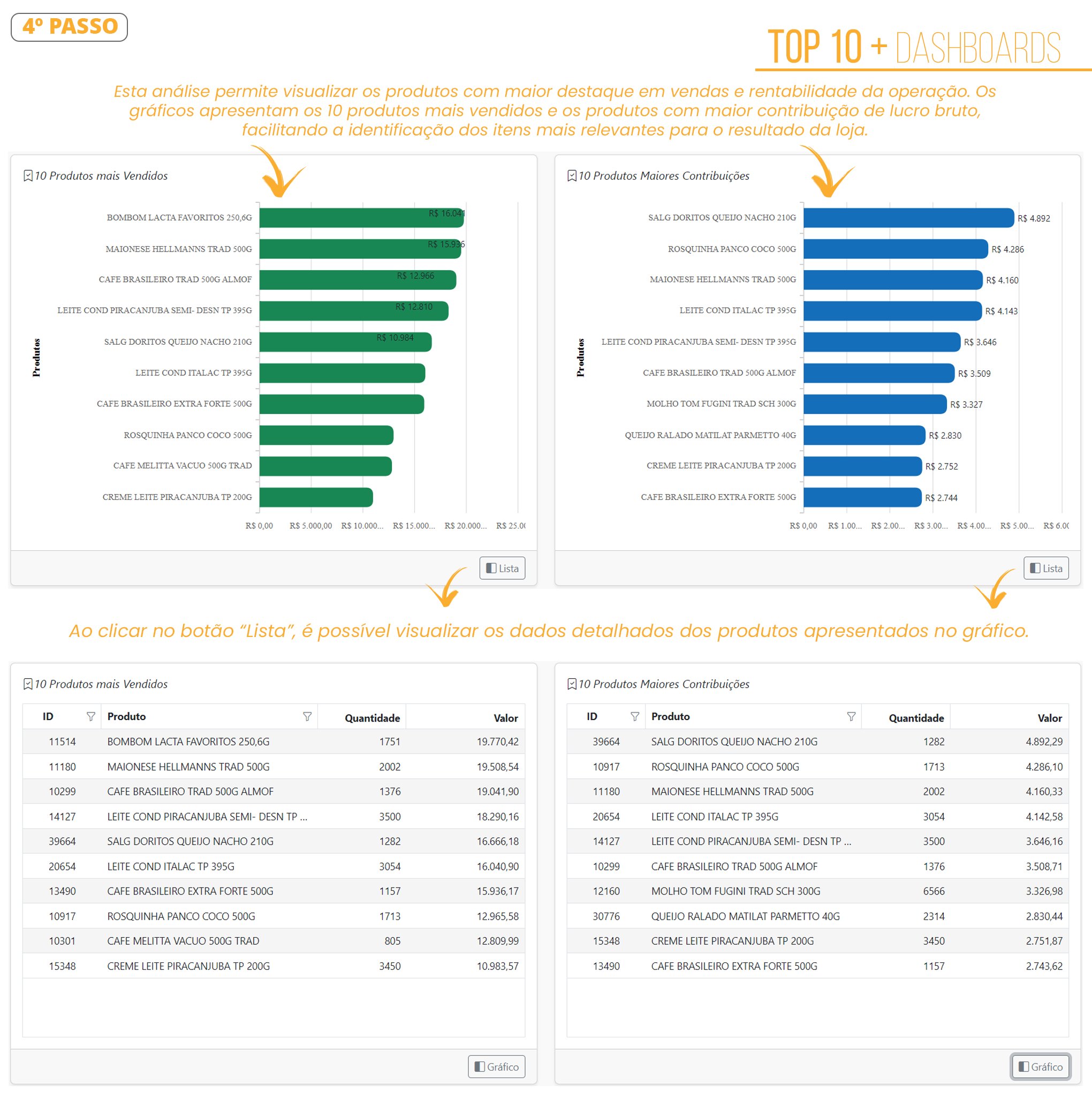
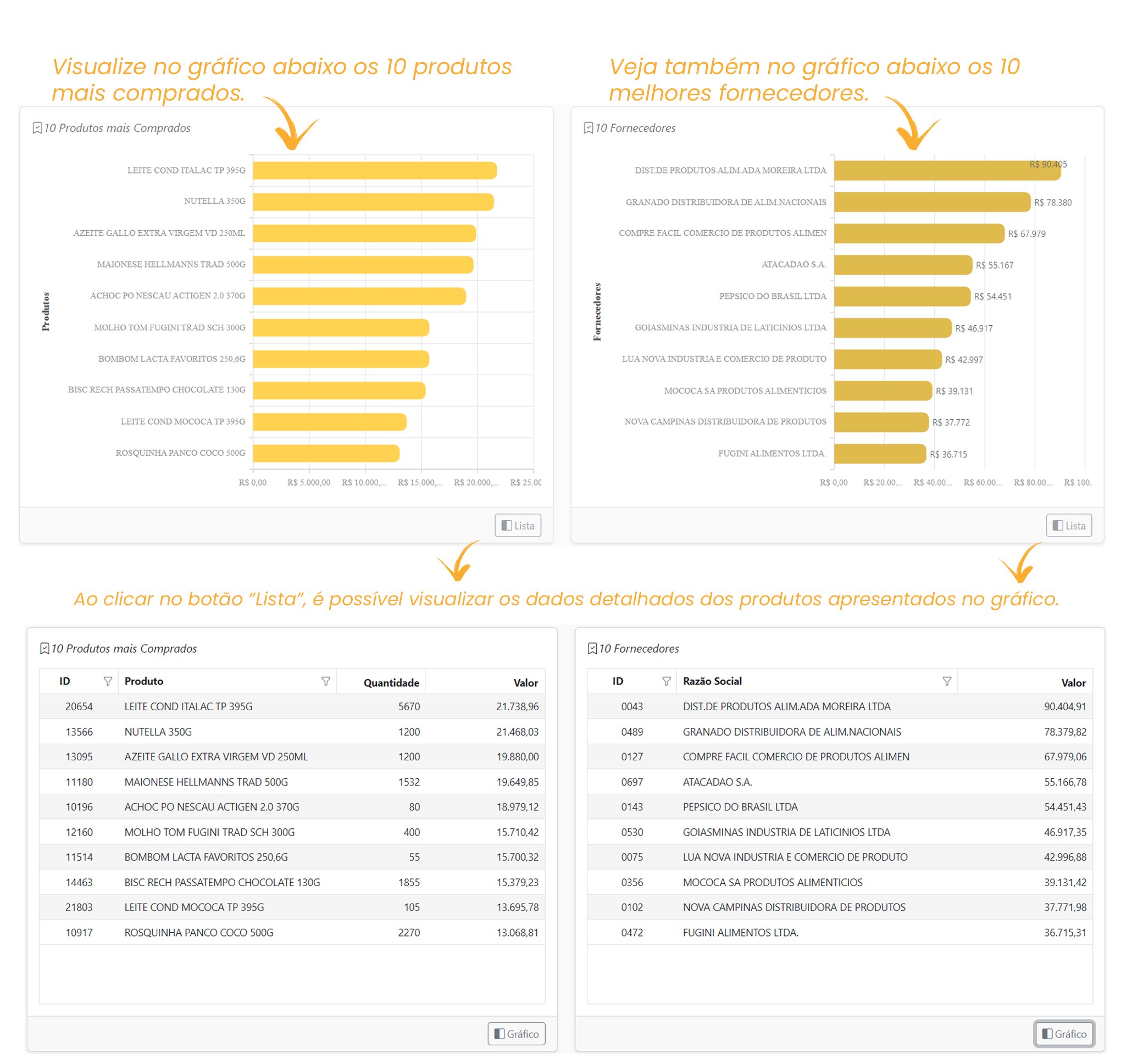
Follow the legends for: [Sales], [Contribution], [Purchases], [Promotions], [Average Ticket], and [Receipt Quantity].
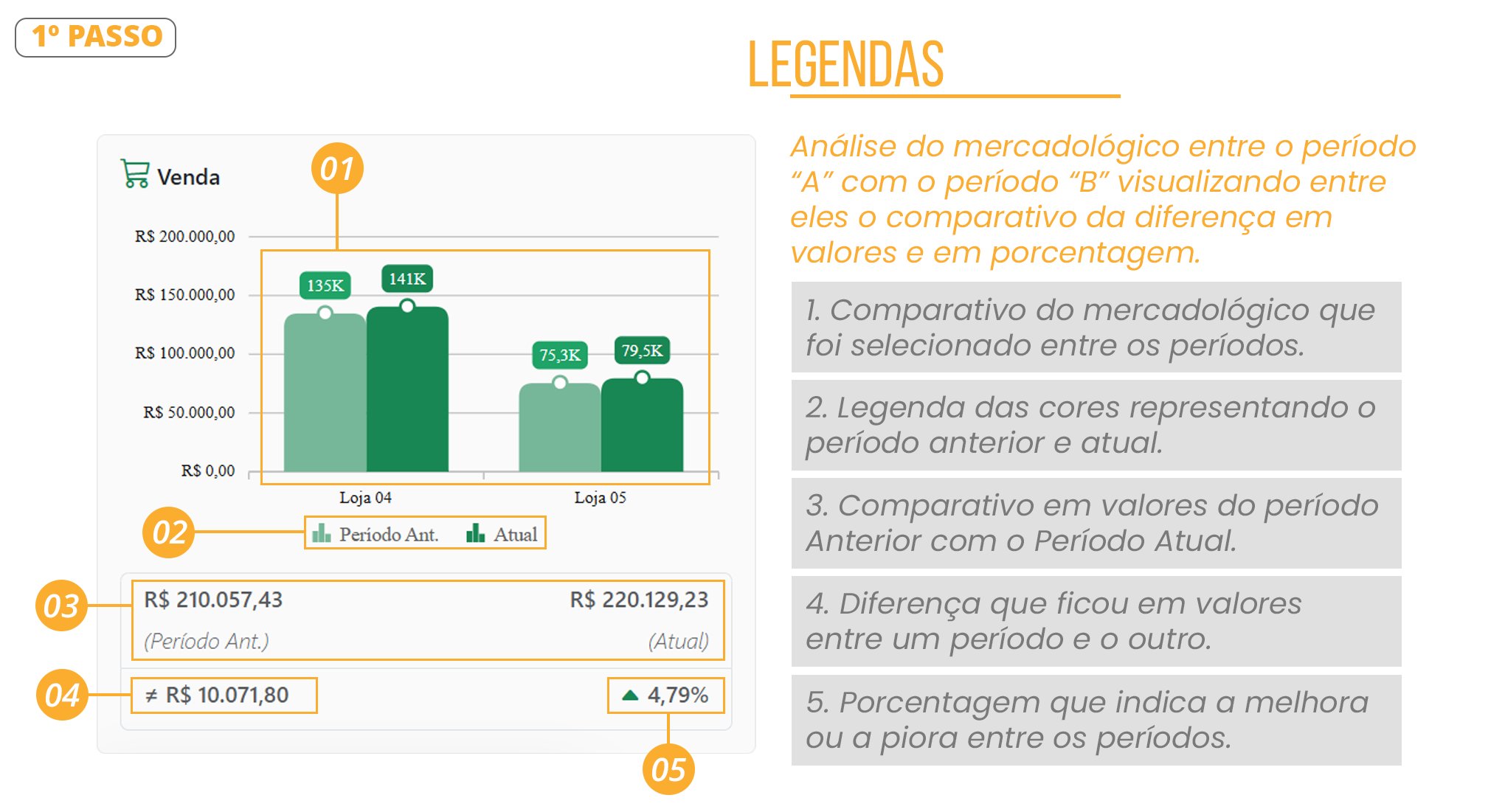
-
See the detailed explanations of the Analyses/Performance
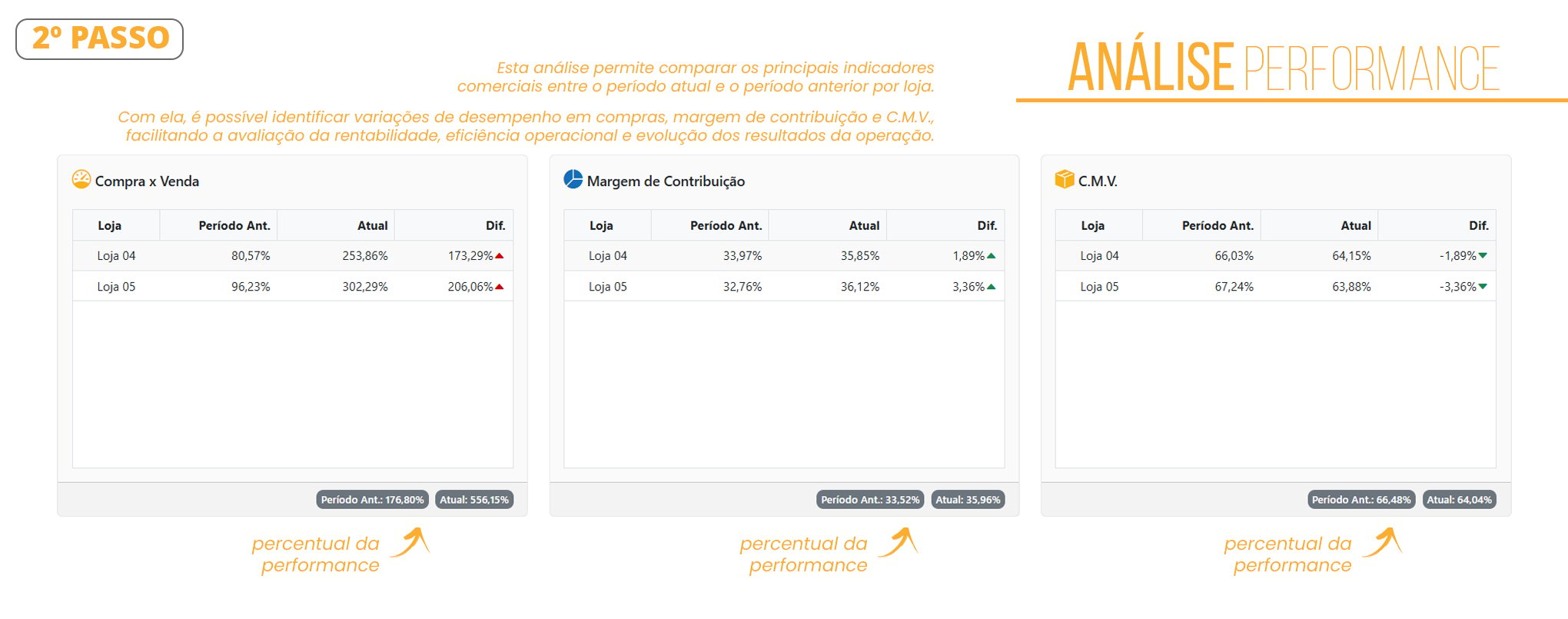
-
See how to analyze the following charts: [Sales], [Contribution], [Purchases], [Promotions], [Average Ticket], and [Receipt Quantity].