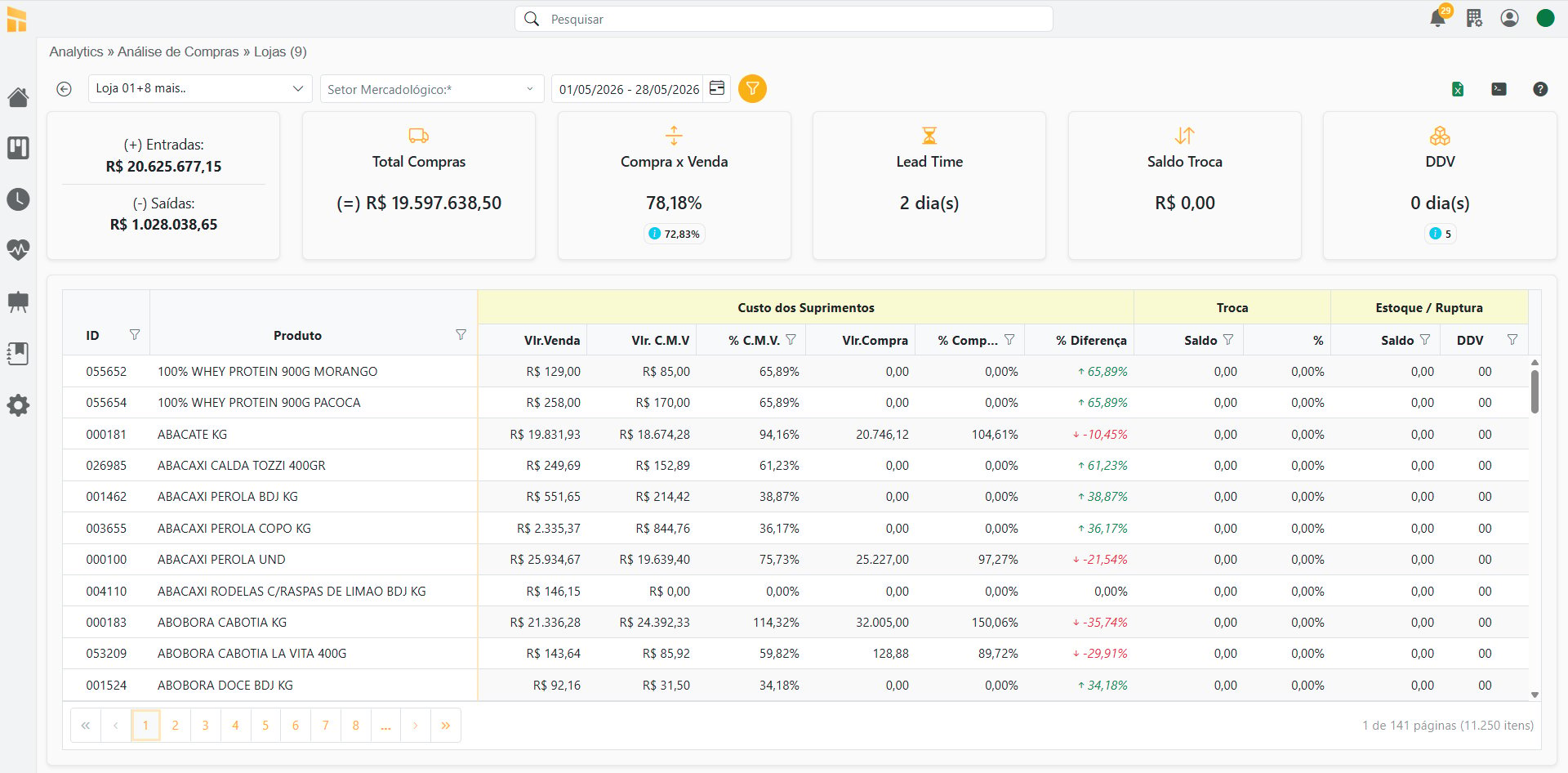
Verify Purchase Analysis Data
Click here to access the Verification Guide;How the Analysis Works
Click here to watch the Complete Video;- Portal
- Mobile
Purchase Analysis
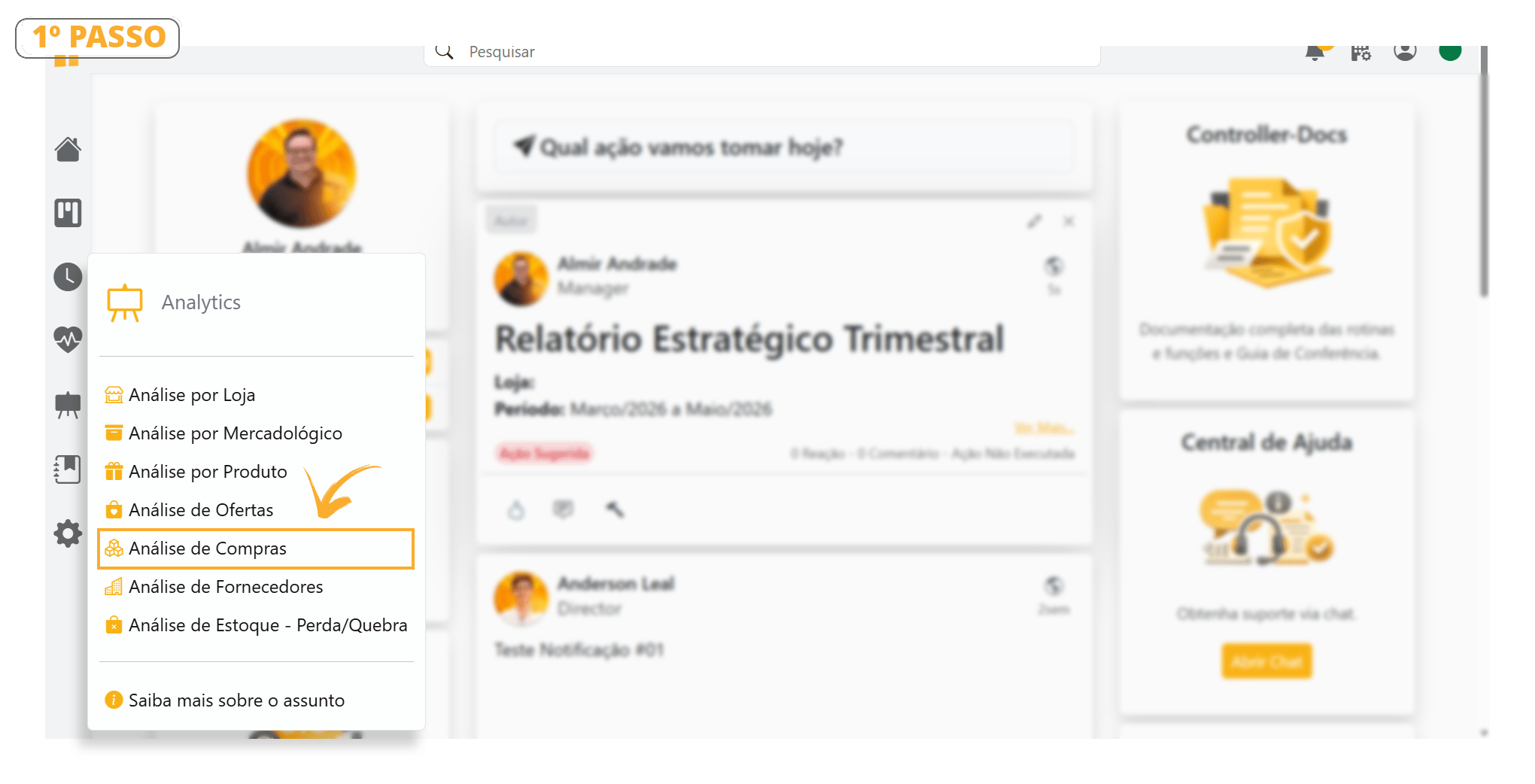
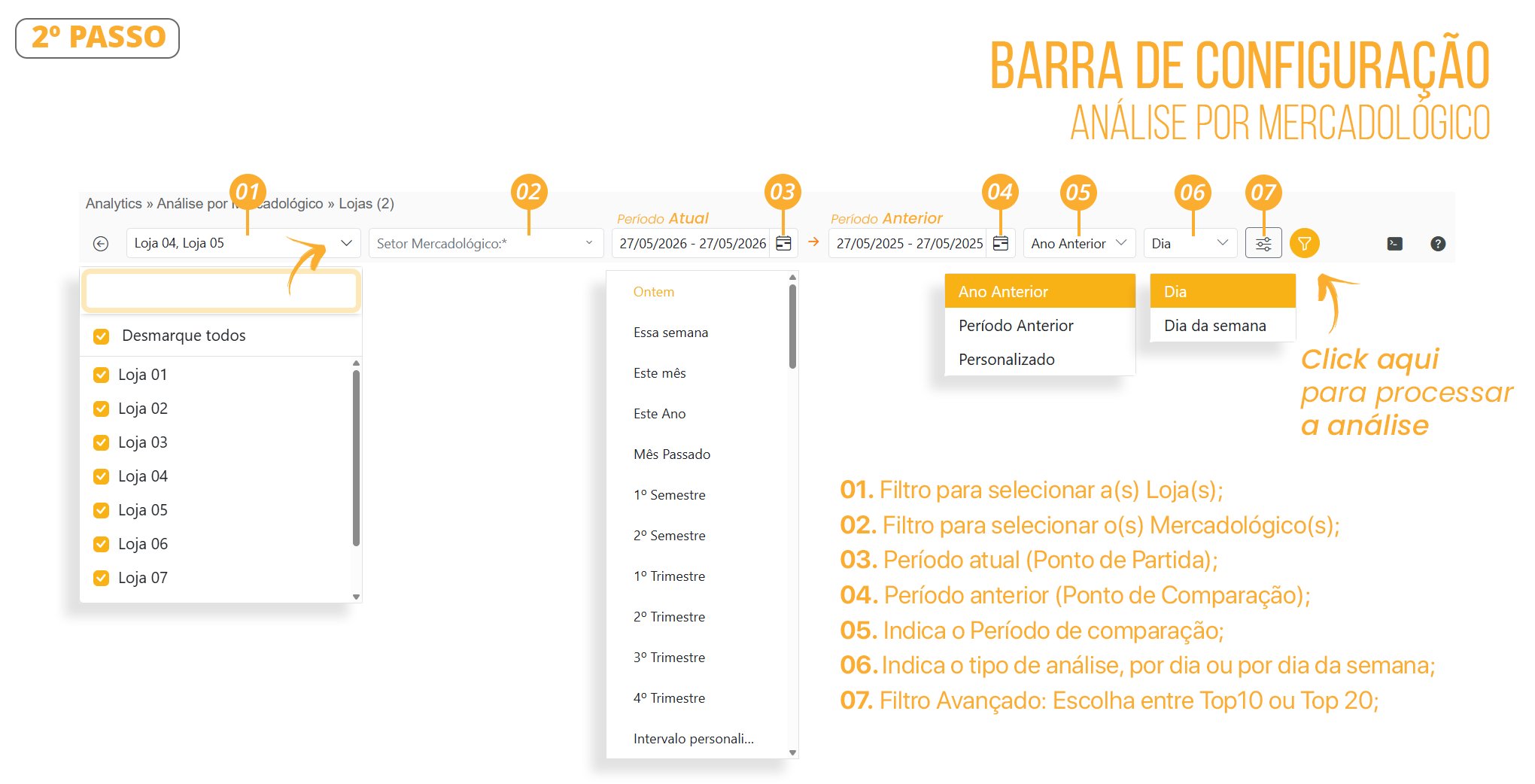
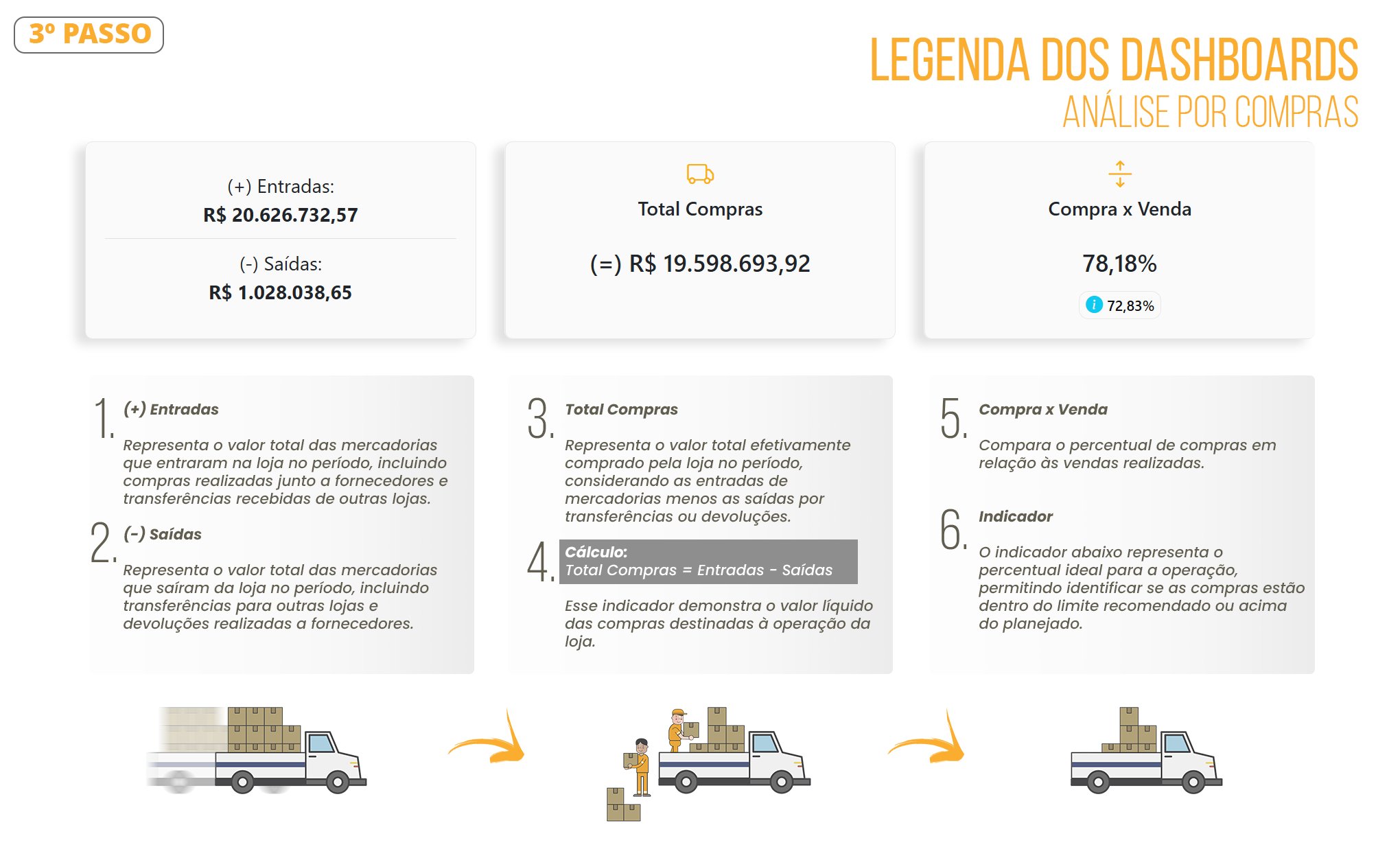
For more details about Purchase Analysis, follow the steps below as shown in the images.-
Analytics> Purchase Analysis
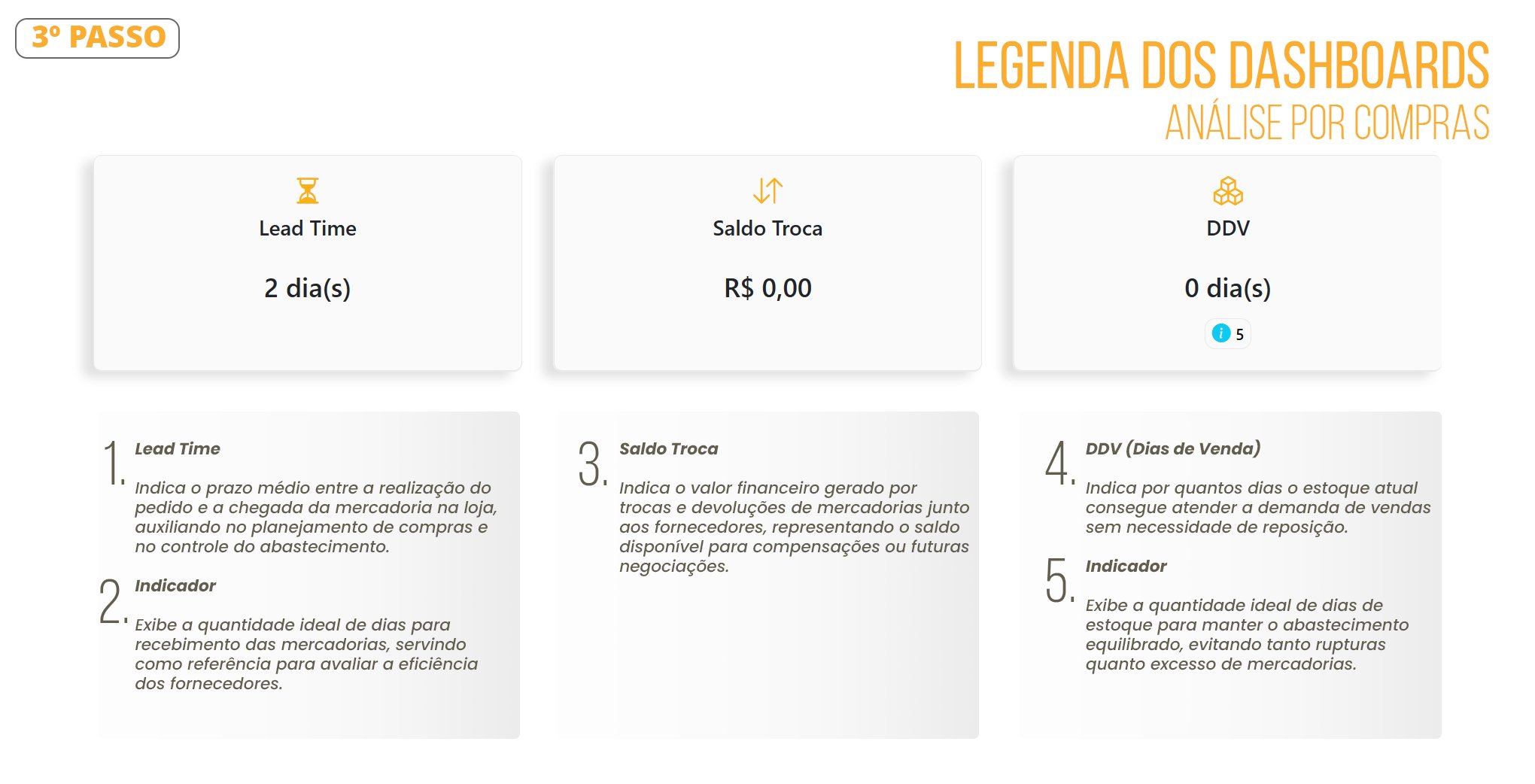
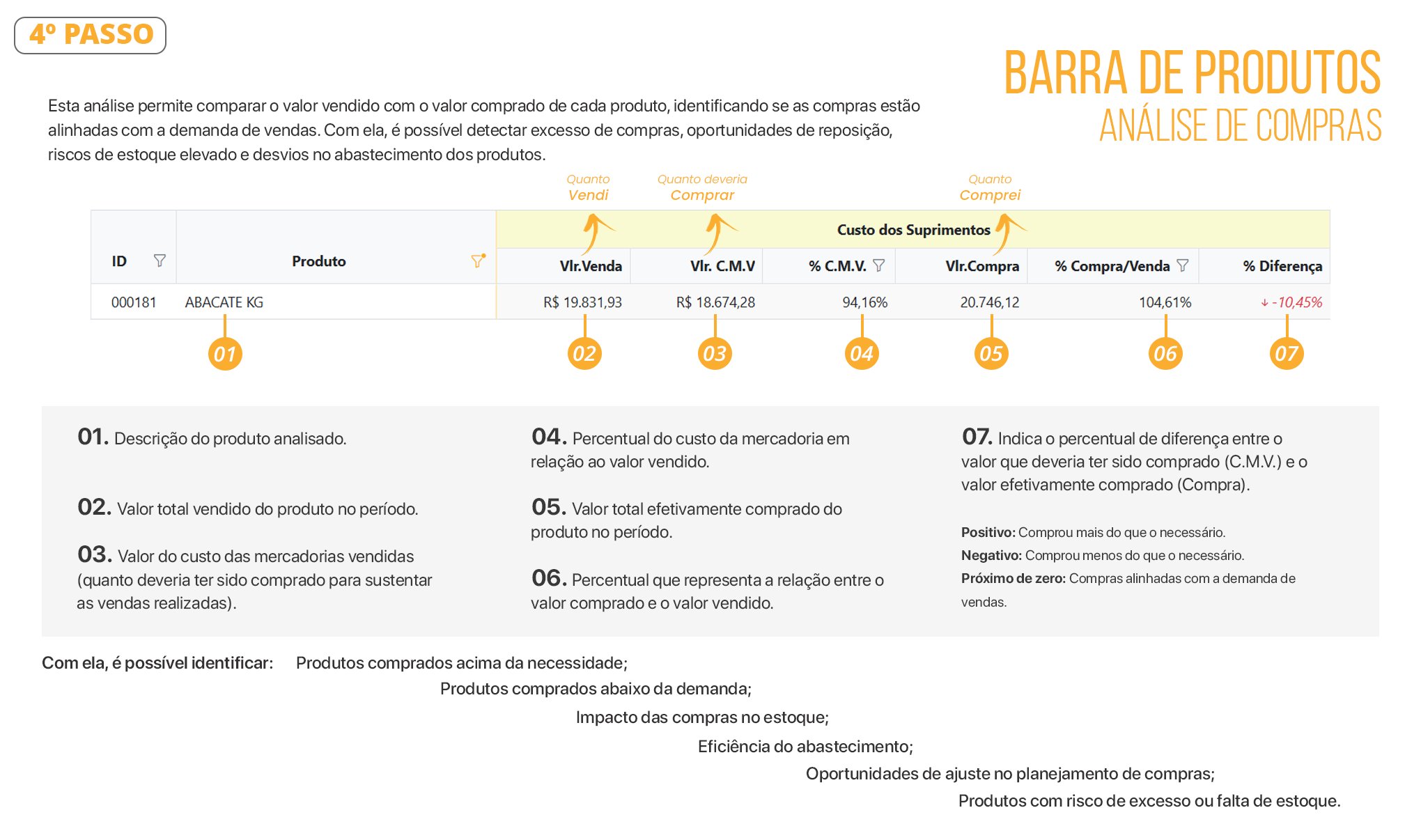
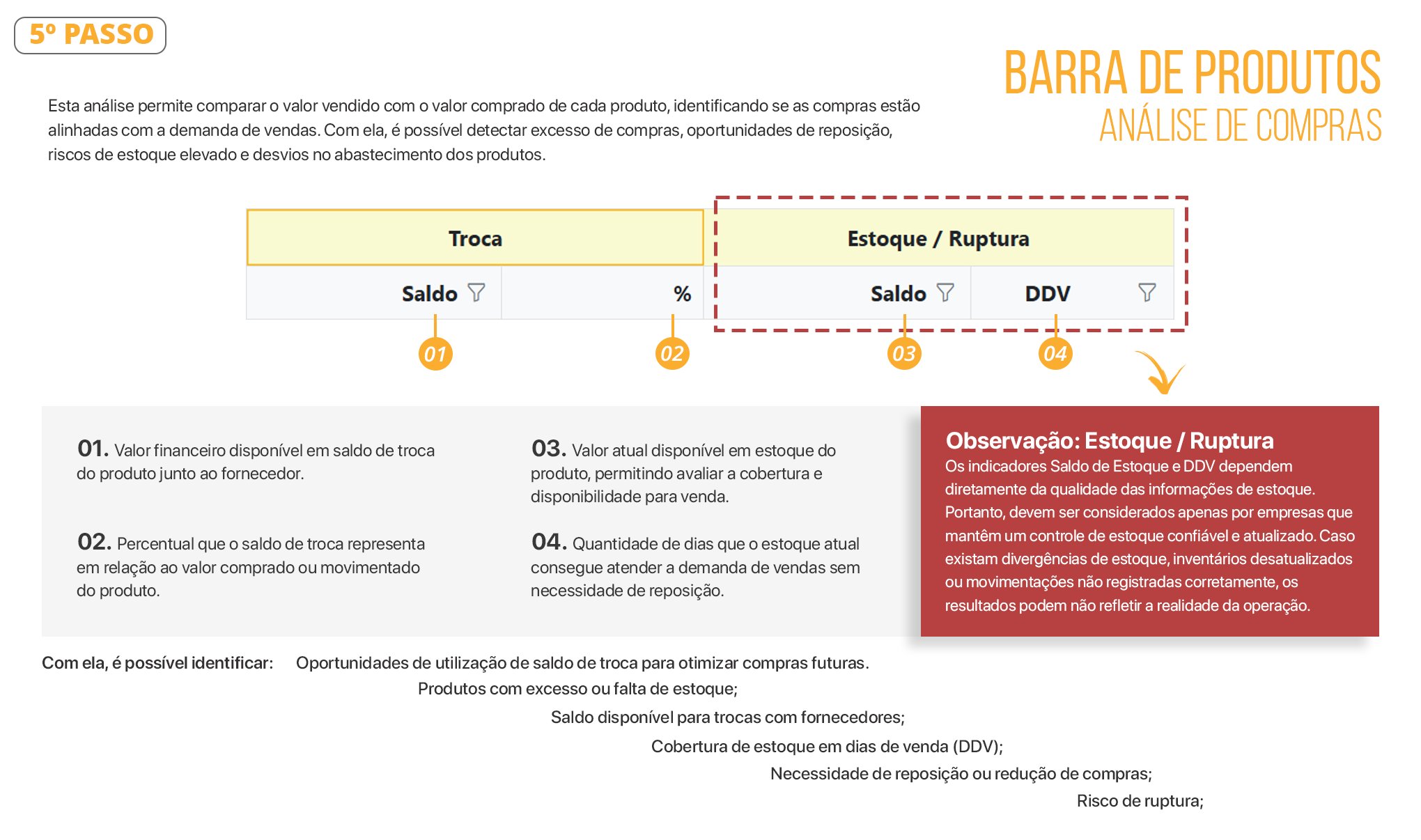
What Is Shown in the Exchange Inventory Balance?
The Inventory Monitoring routine records the inventory position when the consistency check is performed.In summary, the inventory shown in this routine corresponds to exchanges that have not yet been completed with the supplier. In other words, these are items that have already been negotiated and are still awaiting action from the supplier, and that appear on the Inventory/Exchange screen when the consistency check for that day is completed.
When the return invoice is issued to the supplier or the item is removed from the inventory/exchange, the system no longer considers that item after a new consistency check is performed, as it is no longer part of the exchange inventory.
Important: exchanges made with end consumers are not included in this validation.
-
Based on the legends and explanations above, you can now analyze the Analytics/Purchases screen. See the example below.