- Portal
- Mobile
How to Analyze Purchase Limit Fluctuation
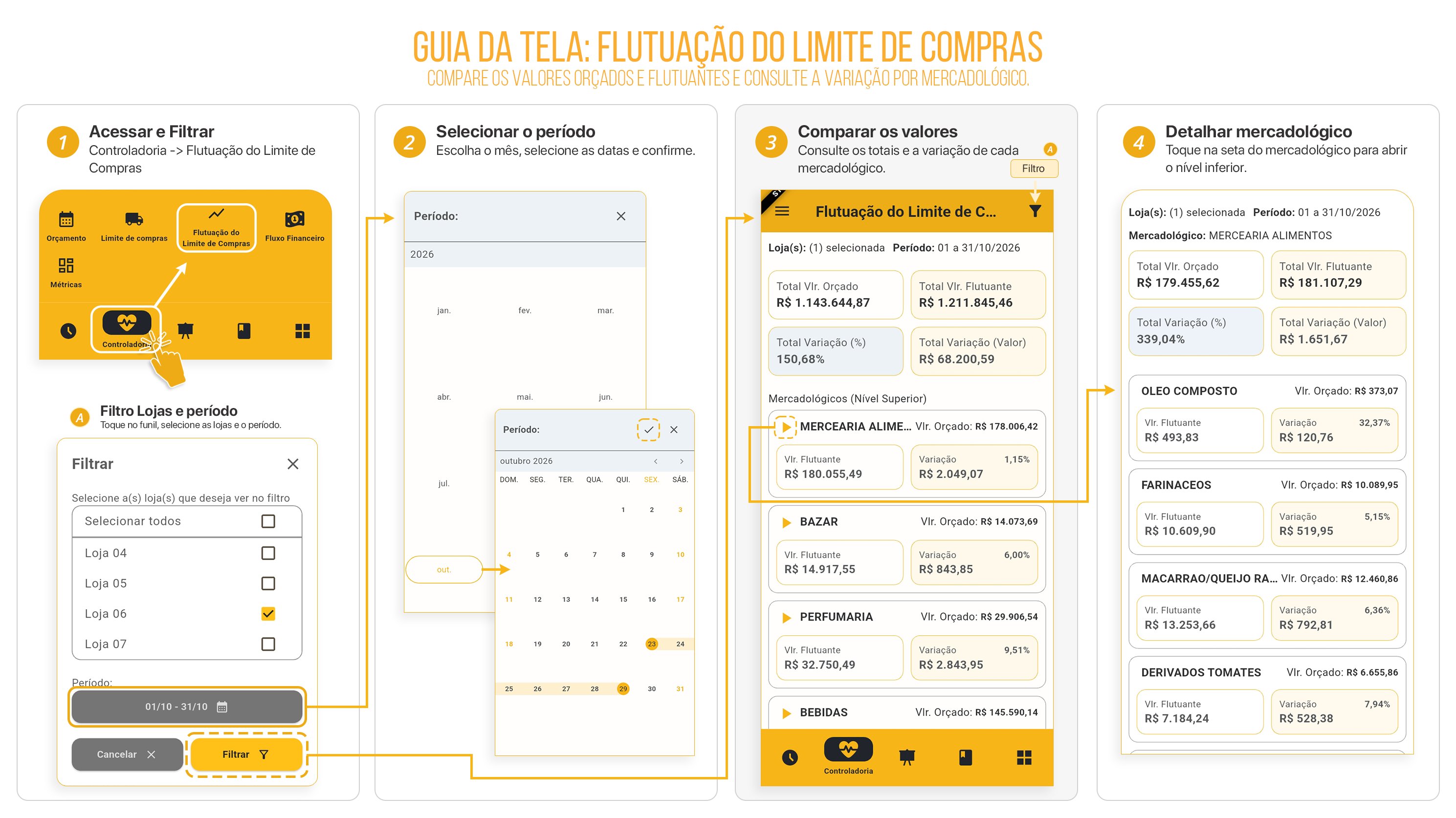
Follow the step-by-step instructions below to understand how Purchase Limit Fluctuation works.-
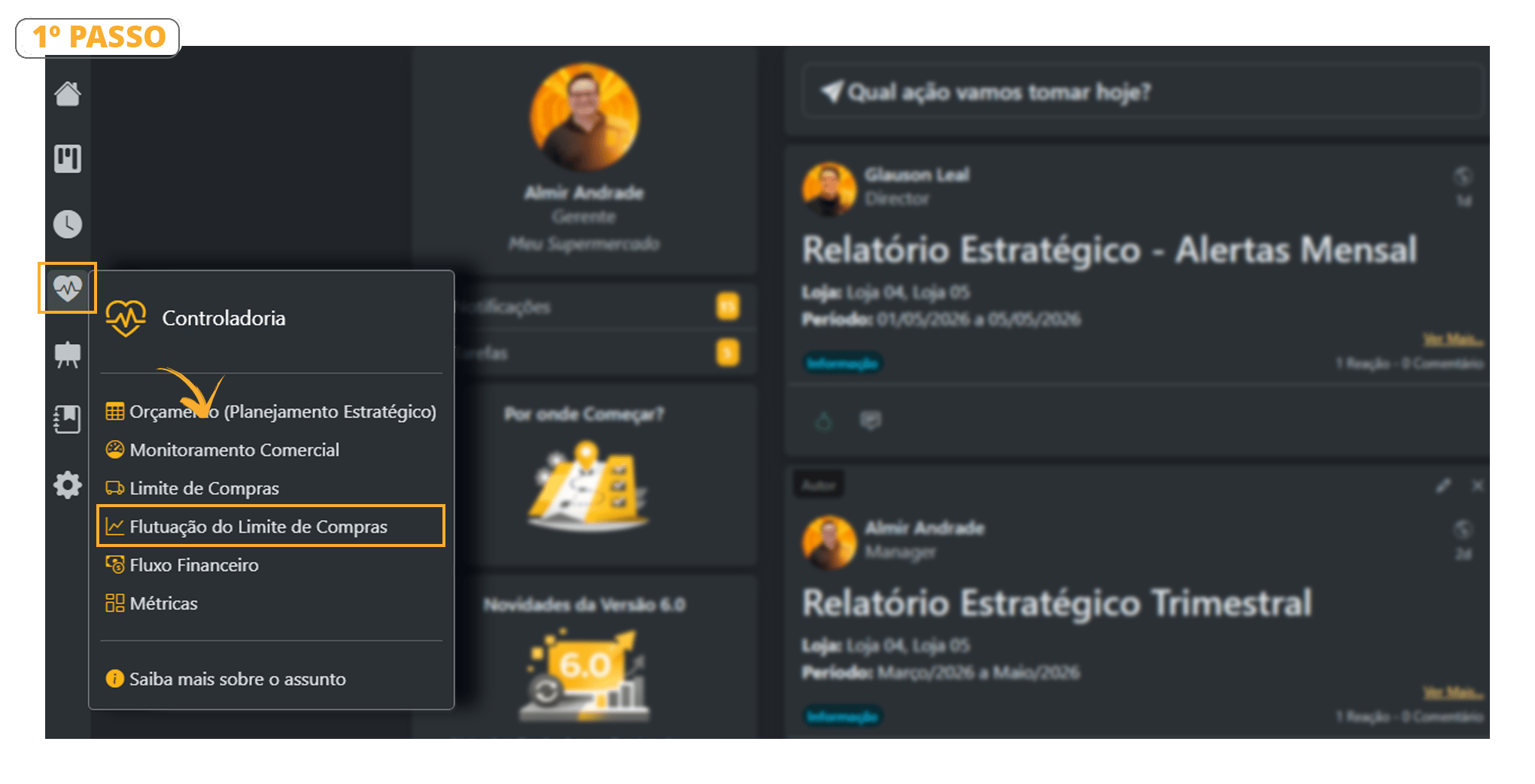
Go to Controllership > Purchase Limit Fluctuation.
-
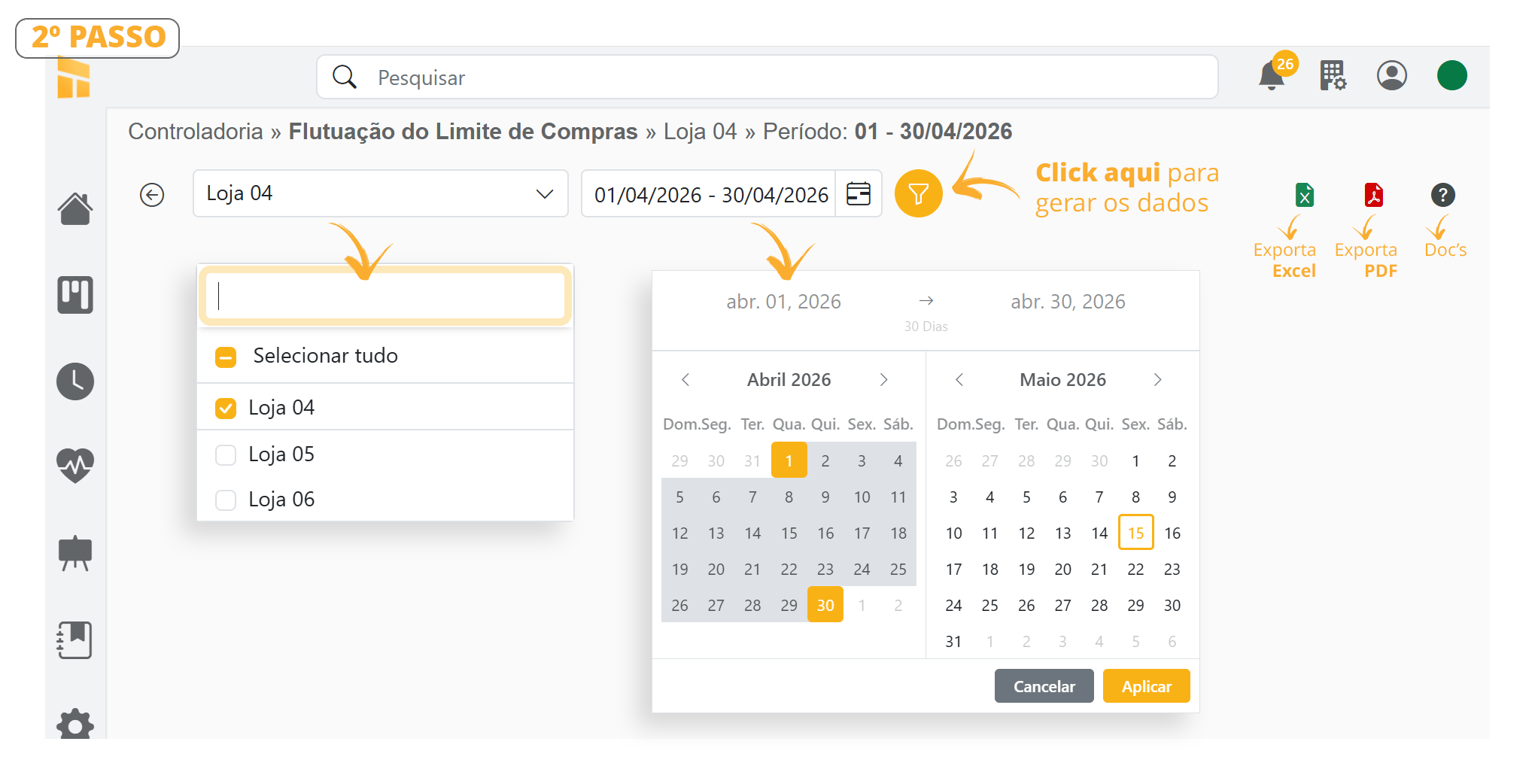
See the details of the Configuration Bar in the image below. This report shows how much your purchasing power has increased or decreased.
-
To view a lower level, select it as shown in the image below.
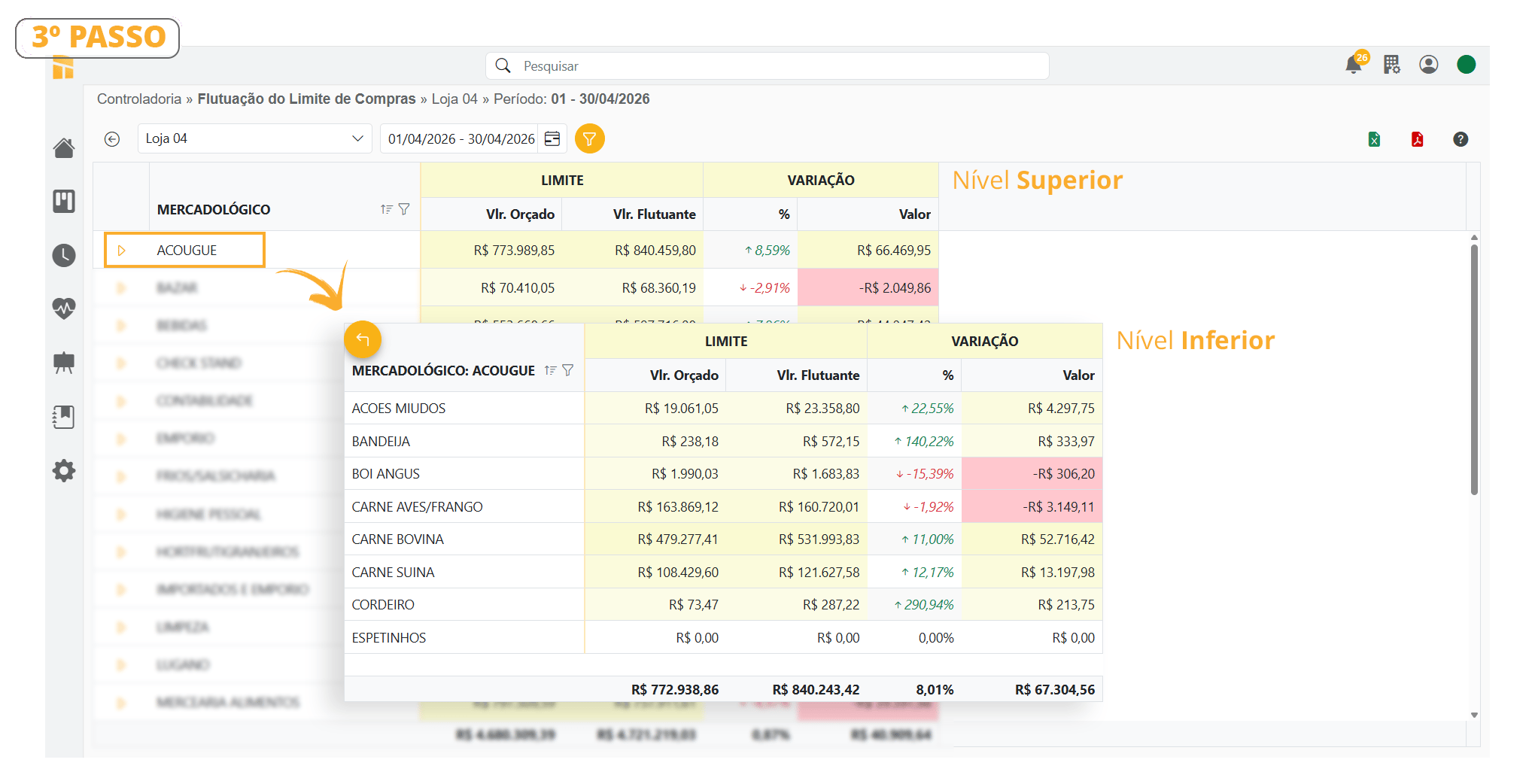
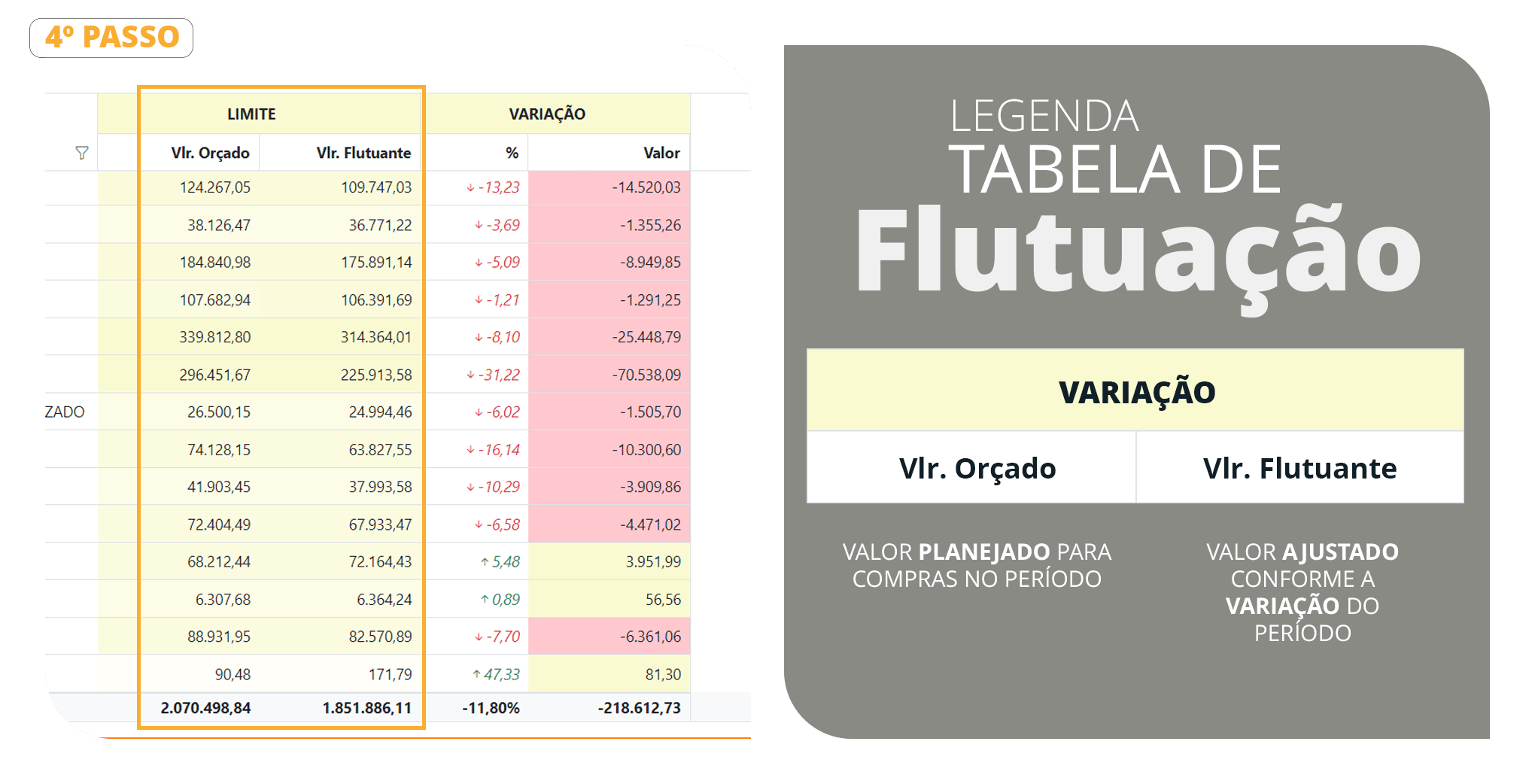
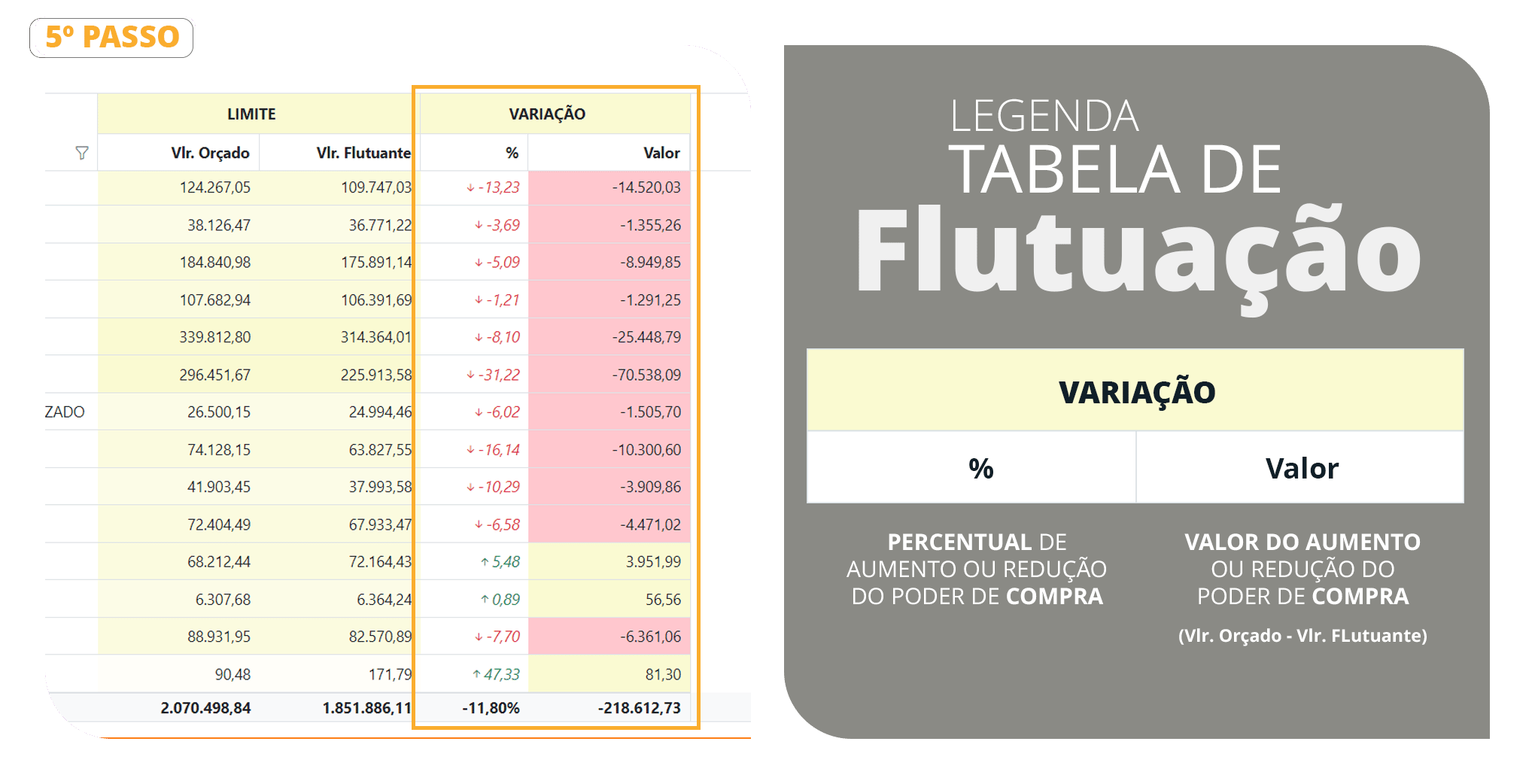
Table Legend