What do you want to verify?
To verify the SALES / CONTRIBUTION / PURCHASES data, follow the steps below: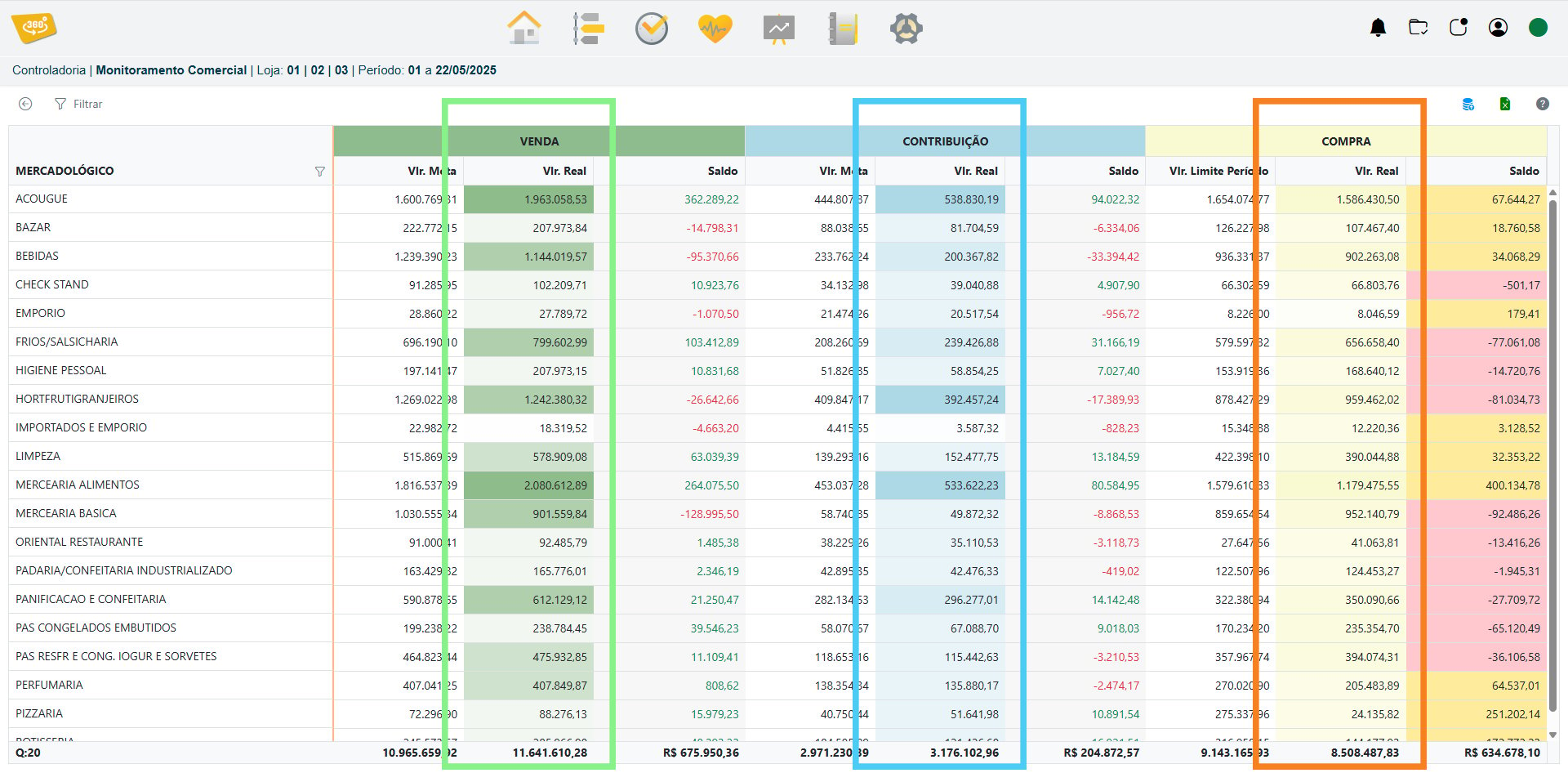
Sales
Access the correct VR Master screen to verify the data: Administrative / Administrative Inquiries / Entry and Exit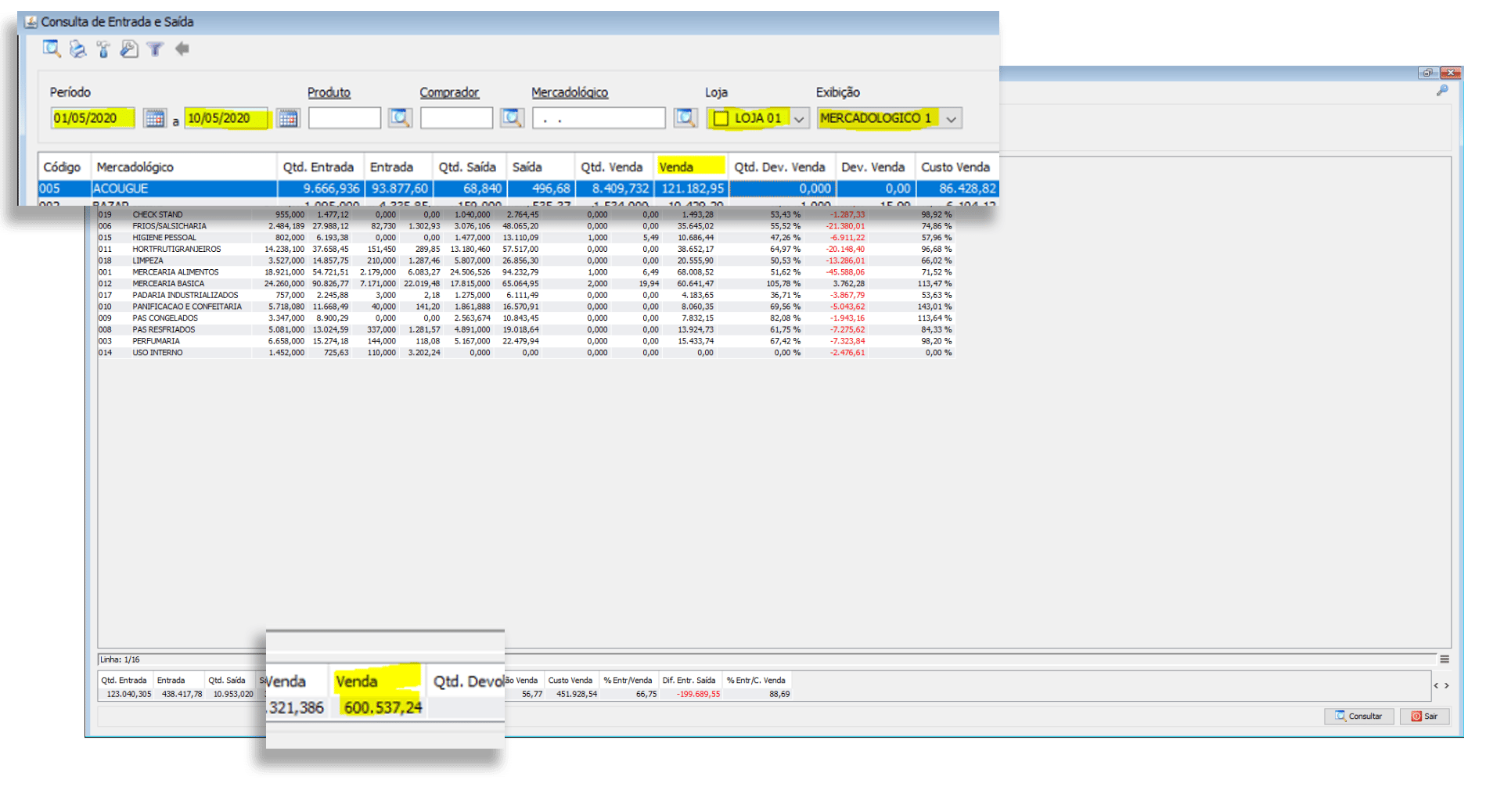
Contribution
Administrative / Administrative Inquiries / Entry and Exit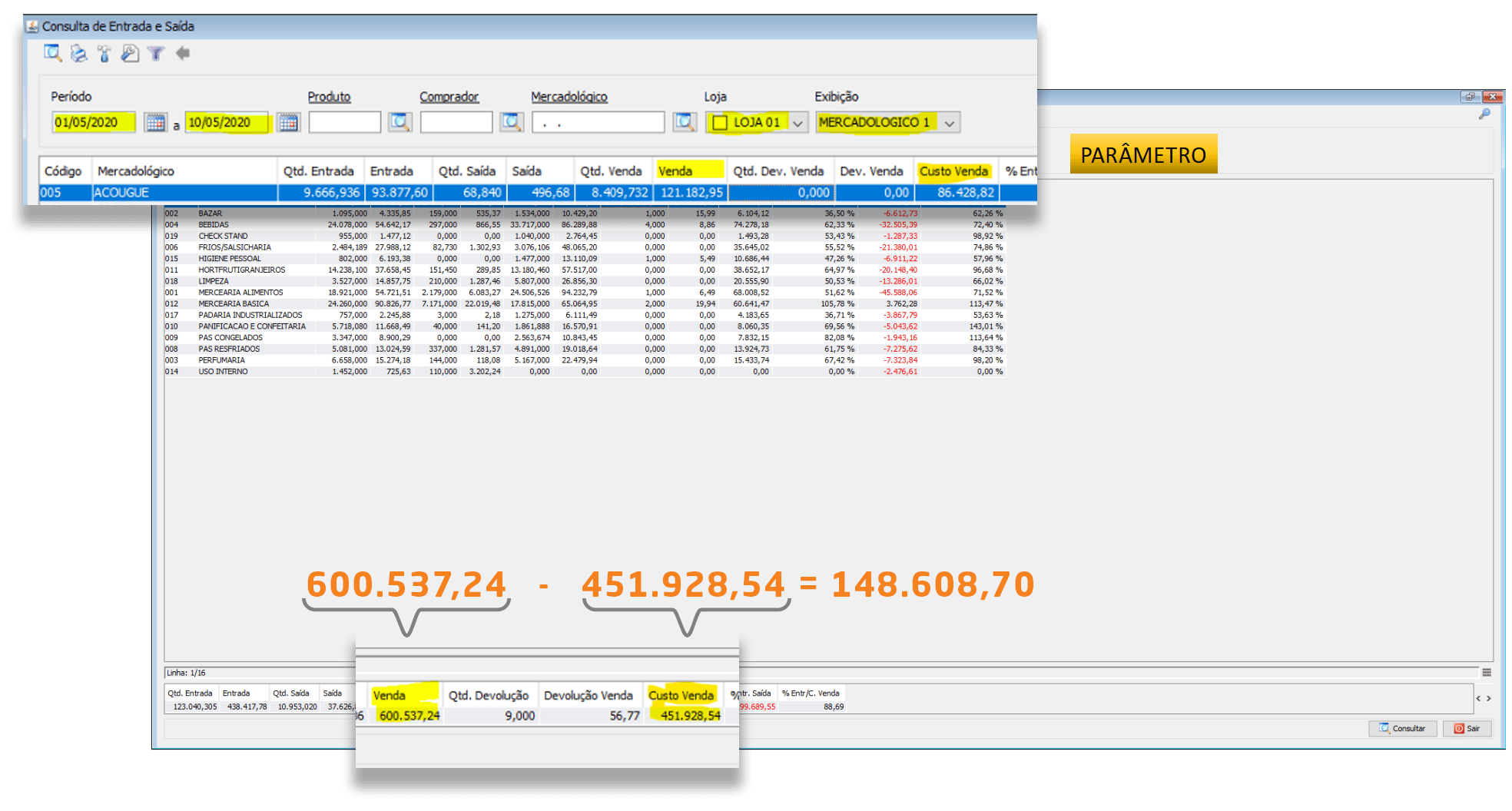
Purchases
Administrative / Administrative Inquiries / Entry and Exit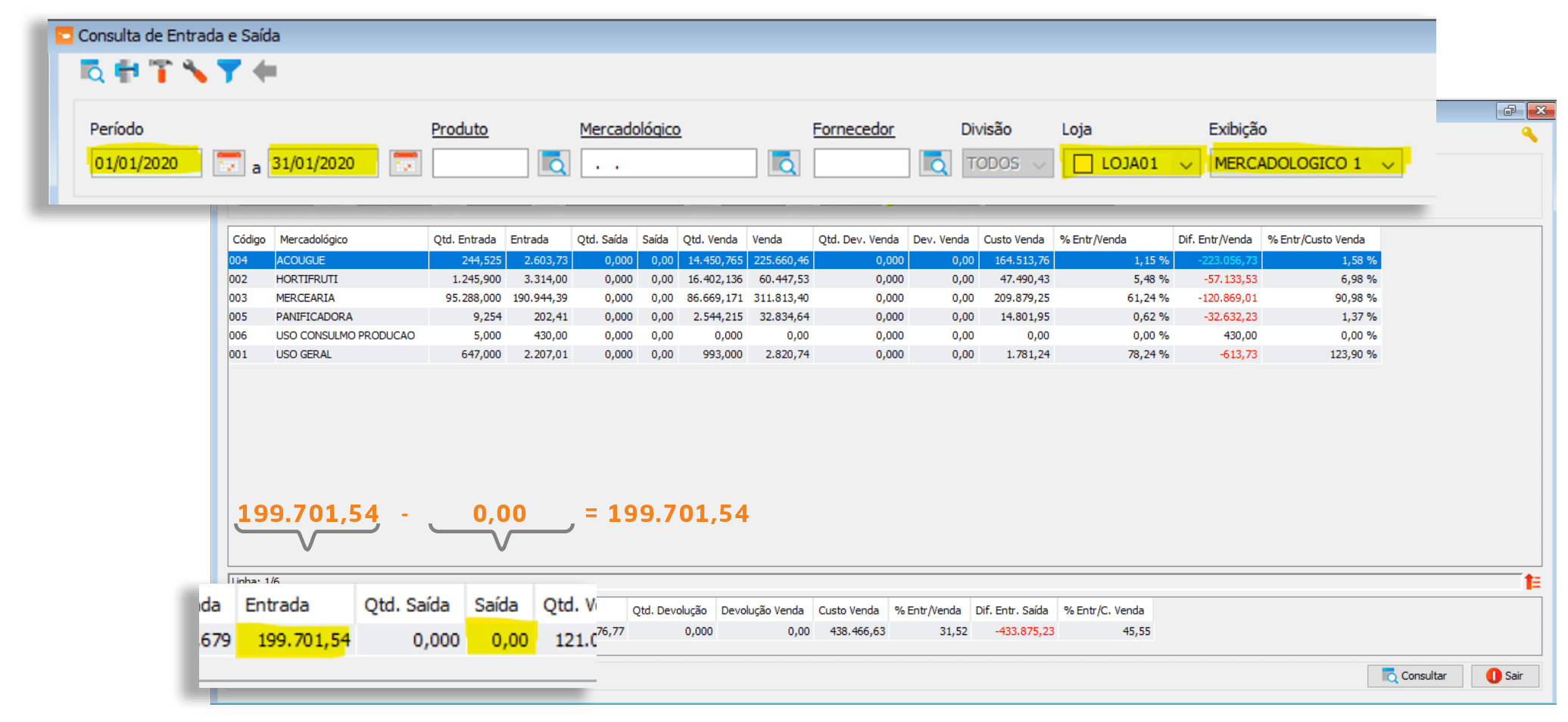
Promotional Sales and Average Ticket
Administrative / Administrative Inquiries / POS Sales or Sales by Period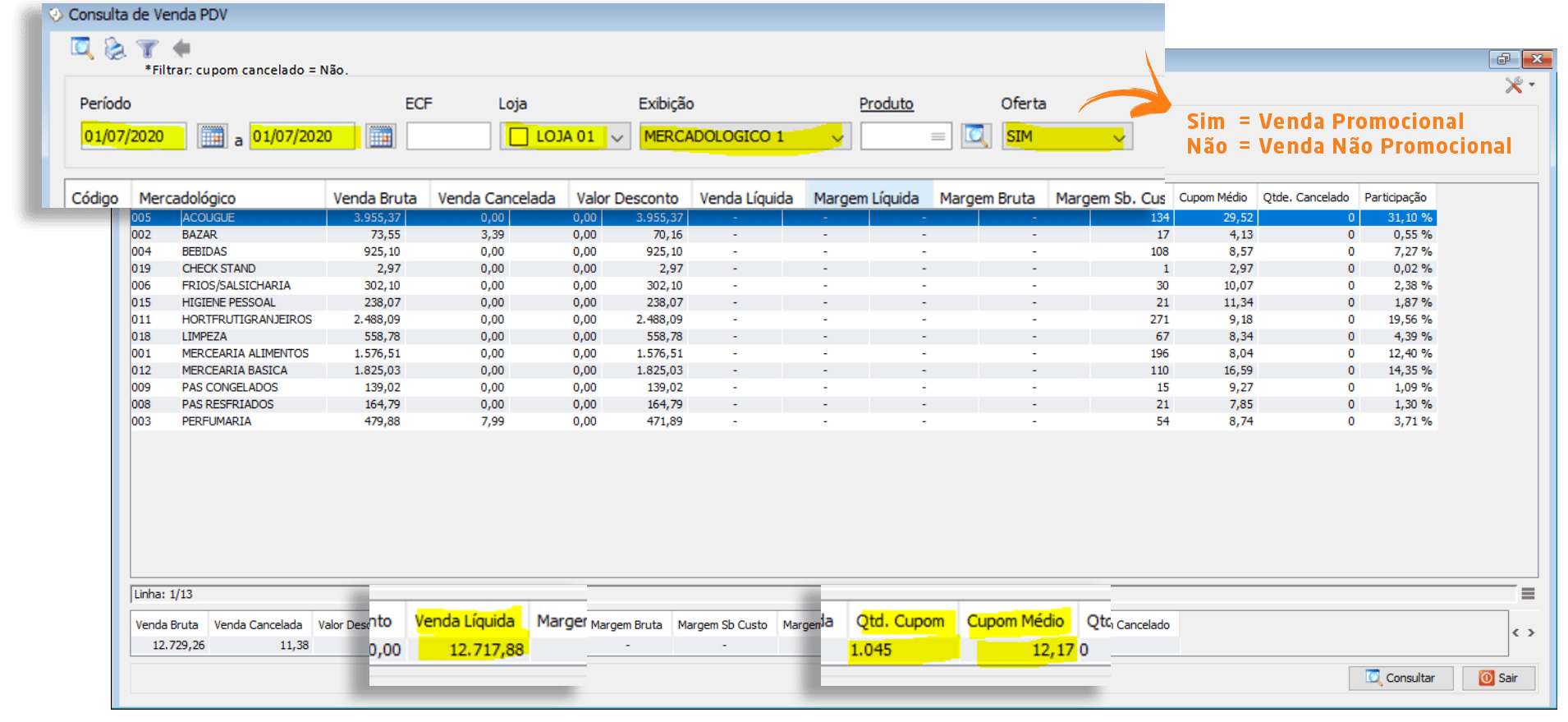
Inventory Balance
Inventory / Inventory Monitoring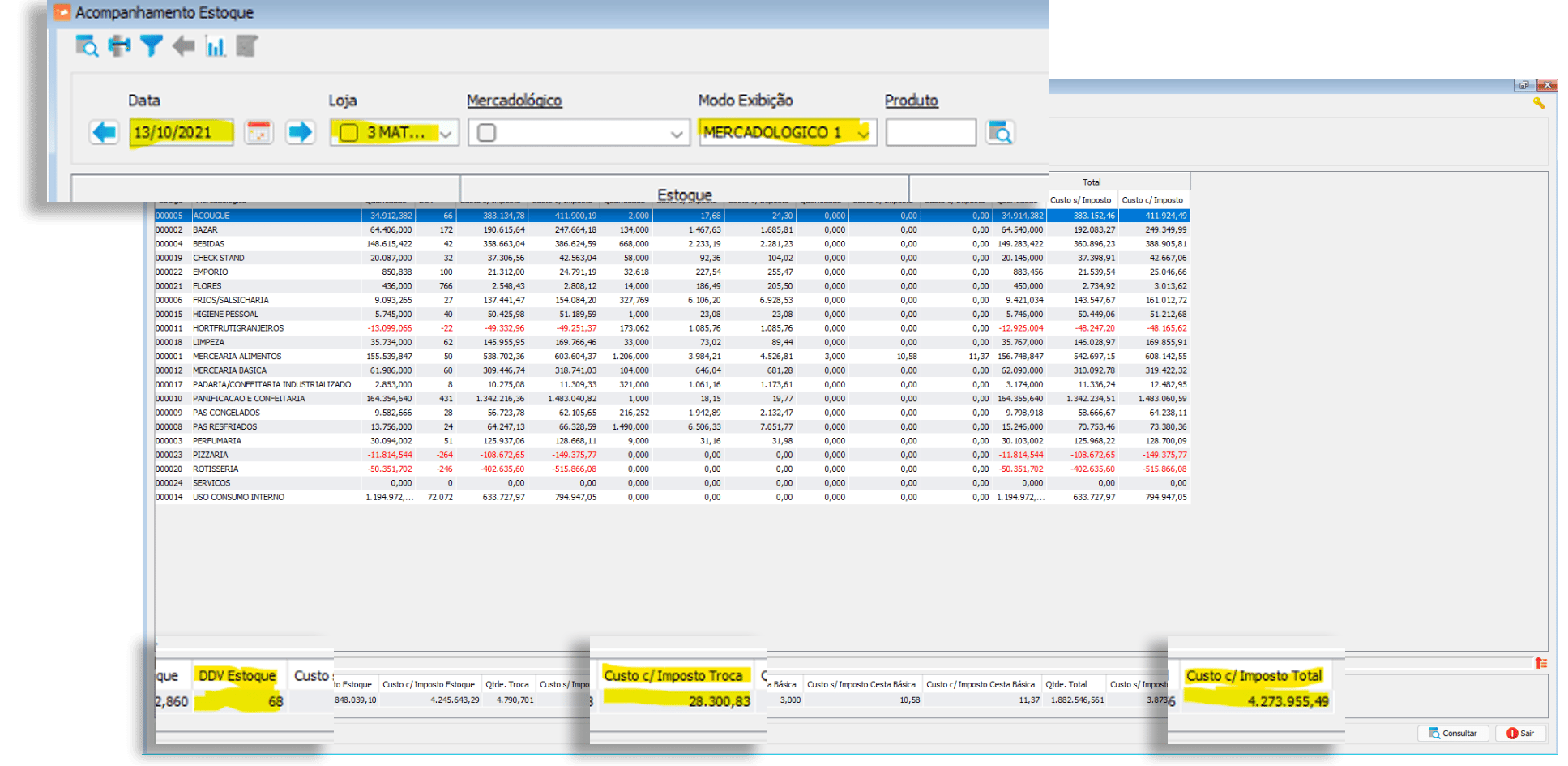
Verify Entry and Exit / Controller360 vs. VR Master
-
Access the Commercial Monitoring screen to verify the data: Controllership / Commercial Monitoring / Filter / Show Details / Purchases Column
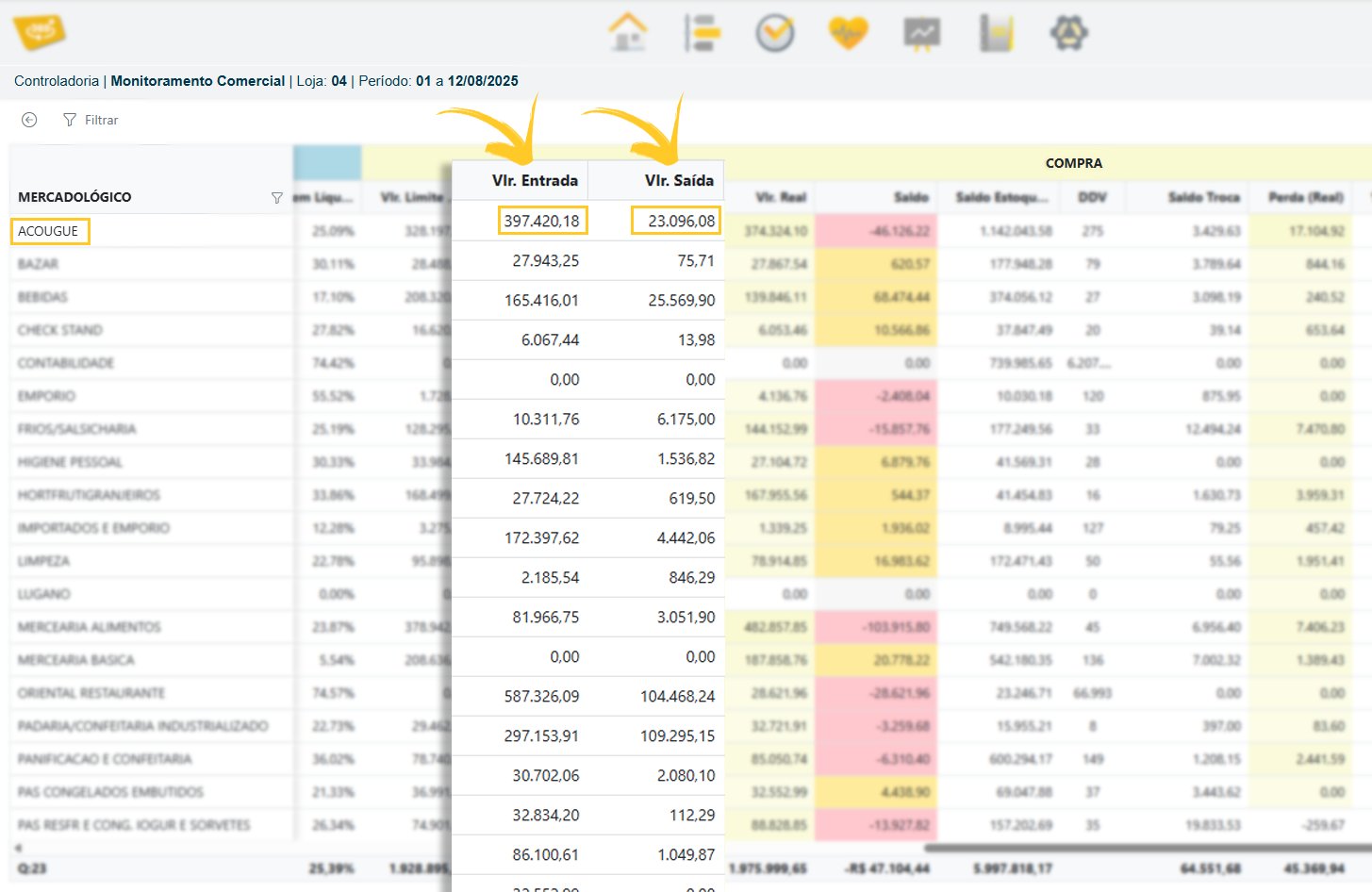
-
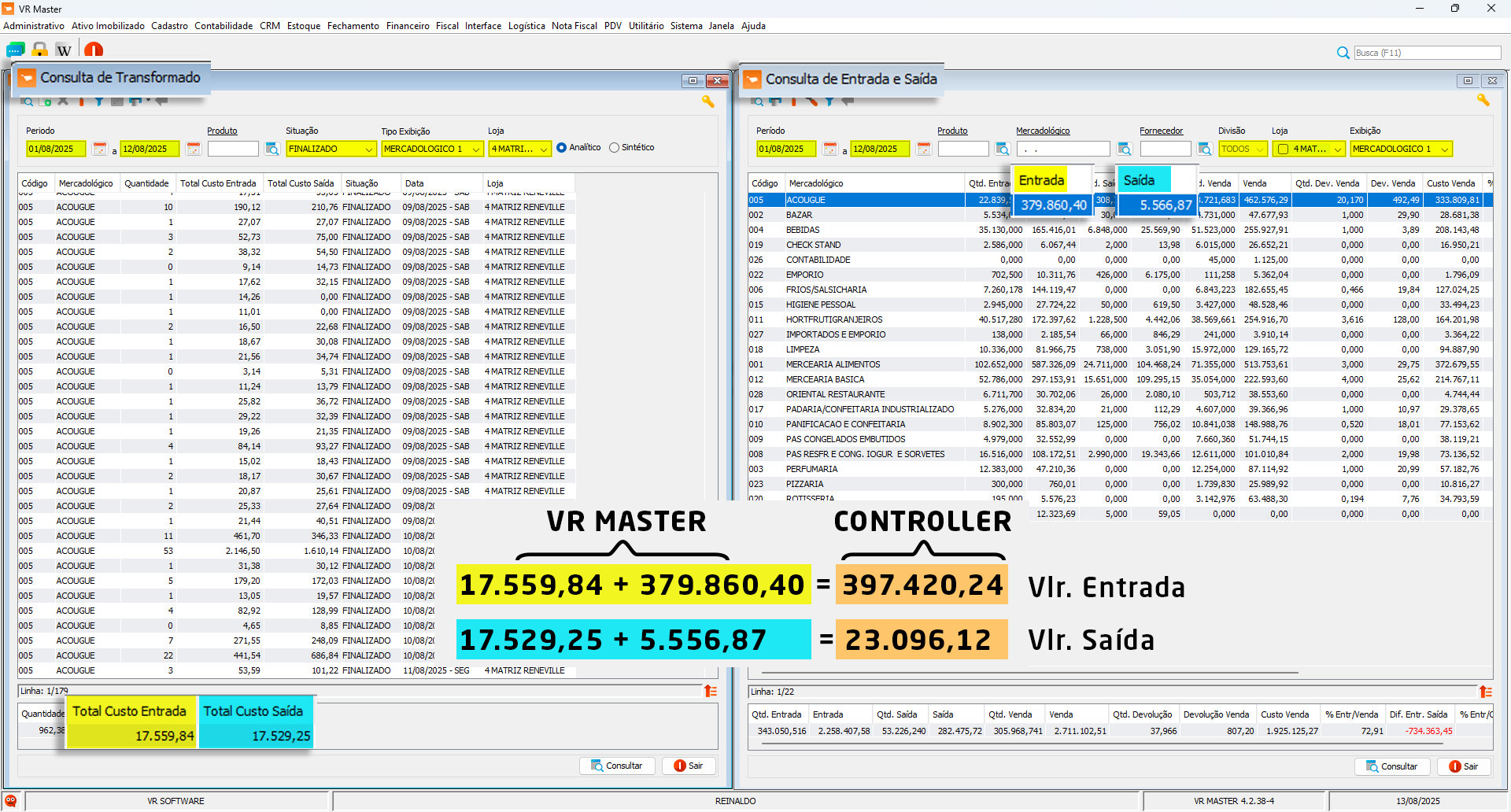
Access the correct VR Master screen to verify the data: Inventory / Transformation / Transformation / Entry
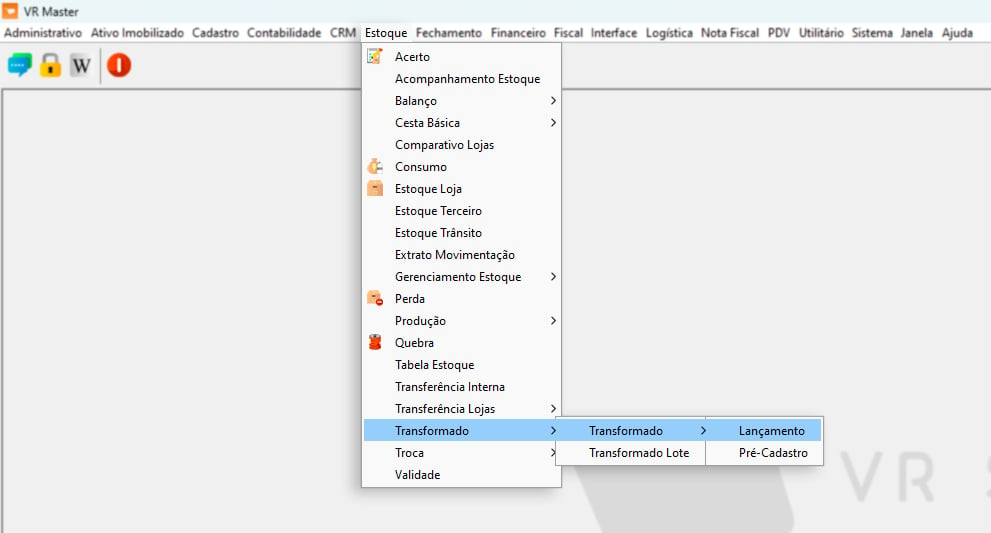
- Open the Transformation Inquiry and Entry and Exit Inquiry screens in VR Master, as shown in the image below: [Total Entry Cost] + [Entry] = Entry Amount [Total Exit Cost] + [Exit] = Exit Amount
Verify Exchange Balance / Controller360 vs. VR Master
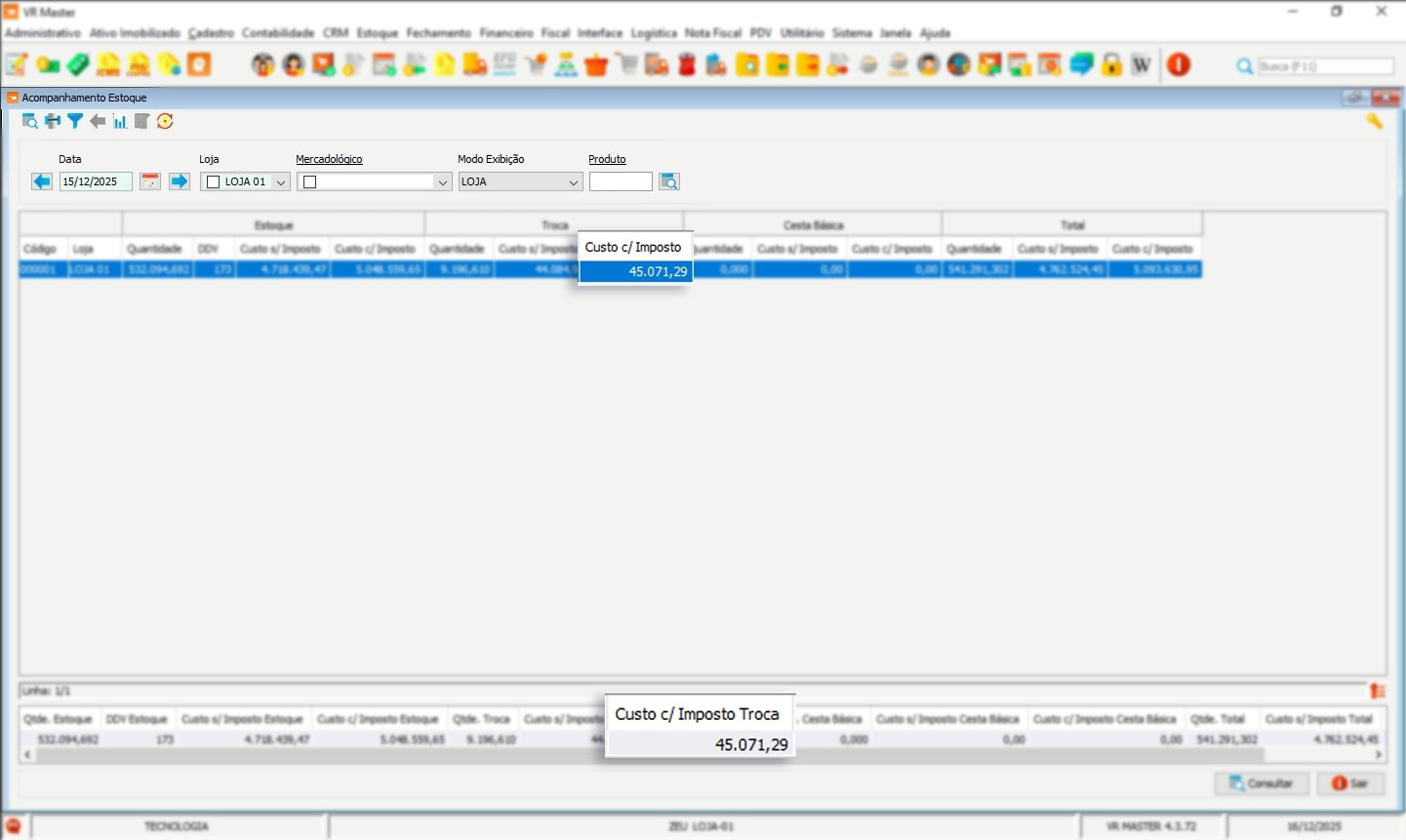
- Access the Commercial Monitoring screen to verify the data: Controllership / Commercial Monitoring / Filter / Show Details / Exchange Balance Column
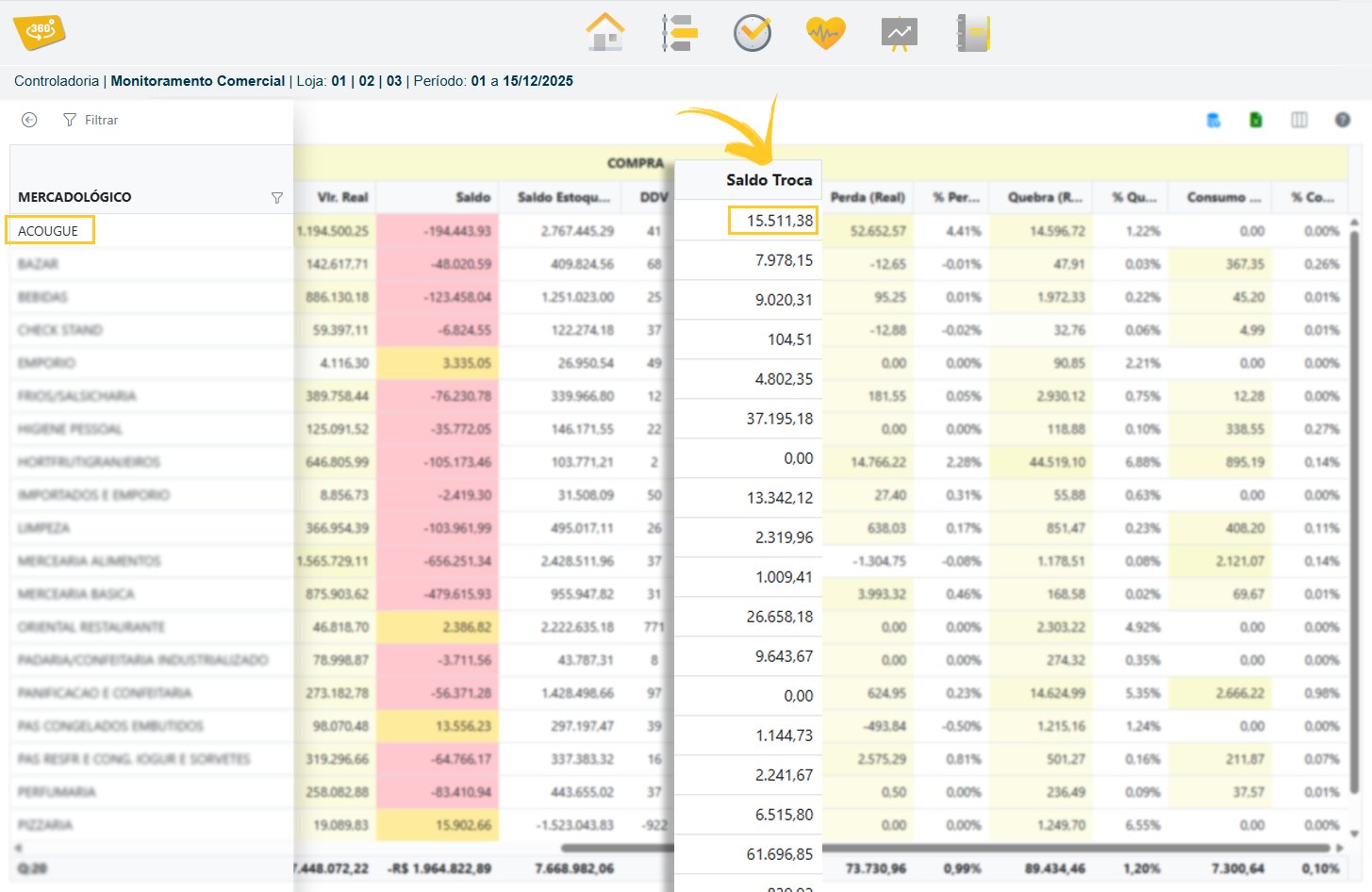
- Follow this procedure to verify the data in VR Master: Inventory / Inventory Monitoring
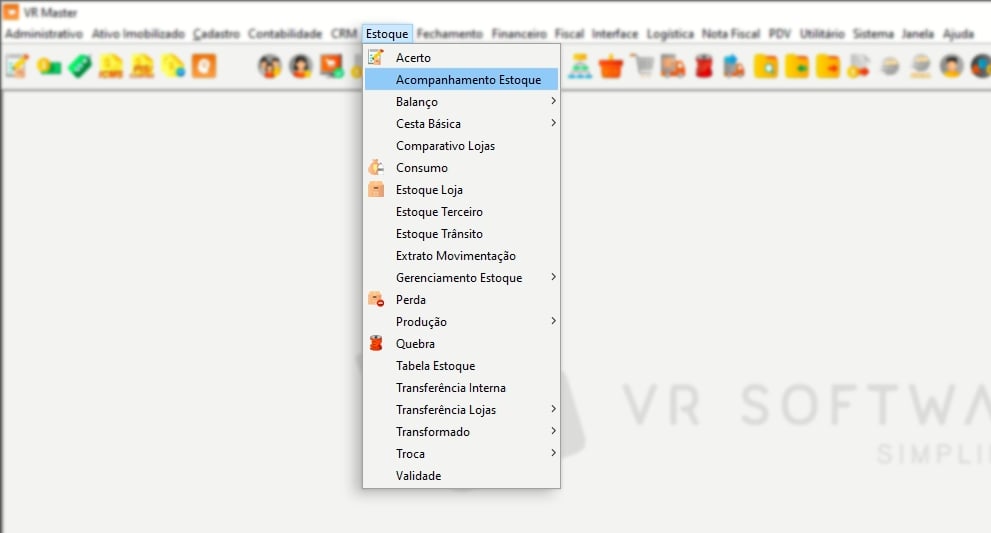
- See the verification fields in the image below:
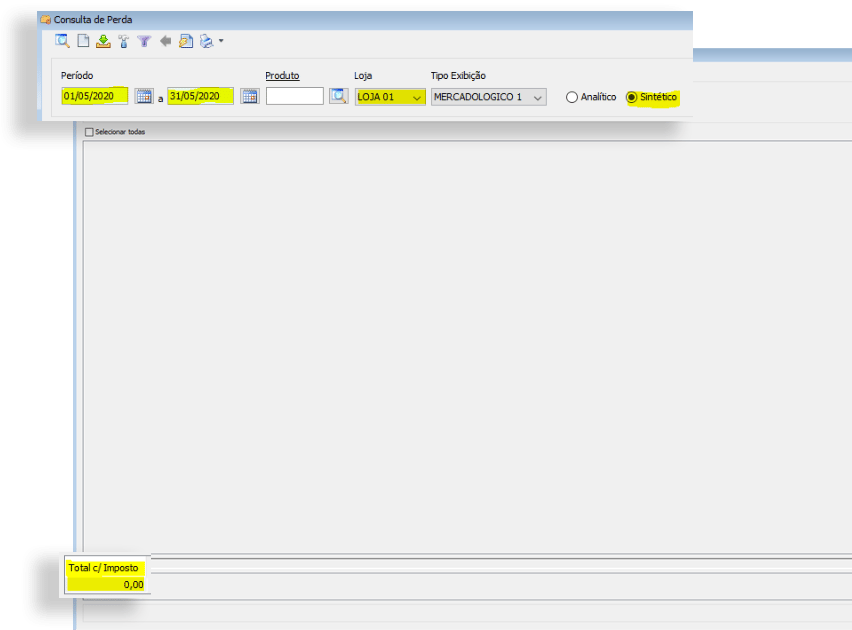
Loss and Breakage
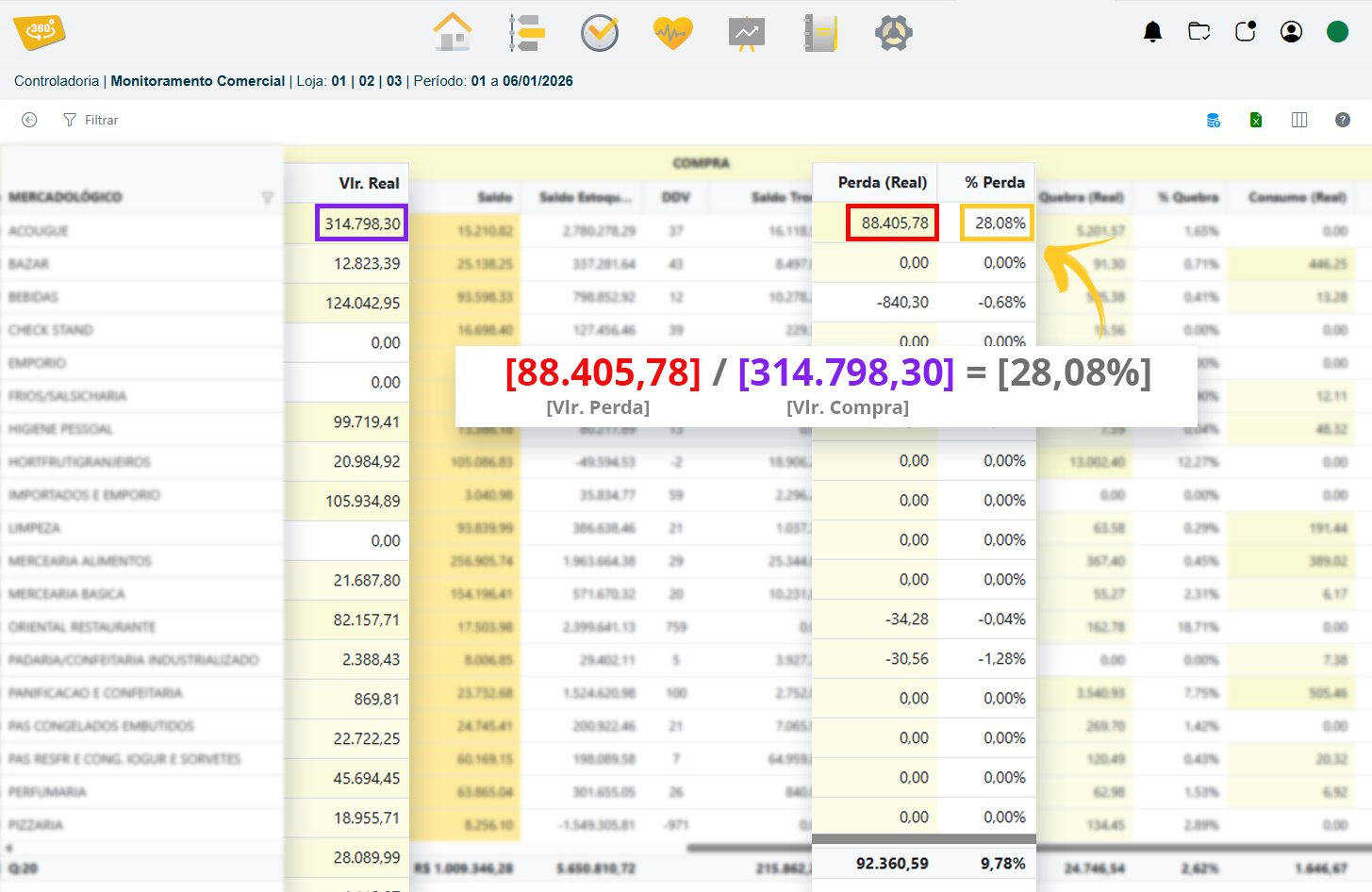
The Loss, Breakage, and Consumption calculations are based on PURCHASES. Formula: [Loss Amount] / [Purchase Amount] = [% Loss]