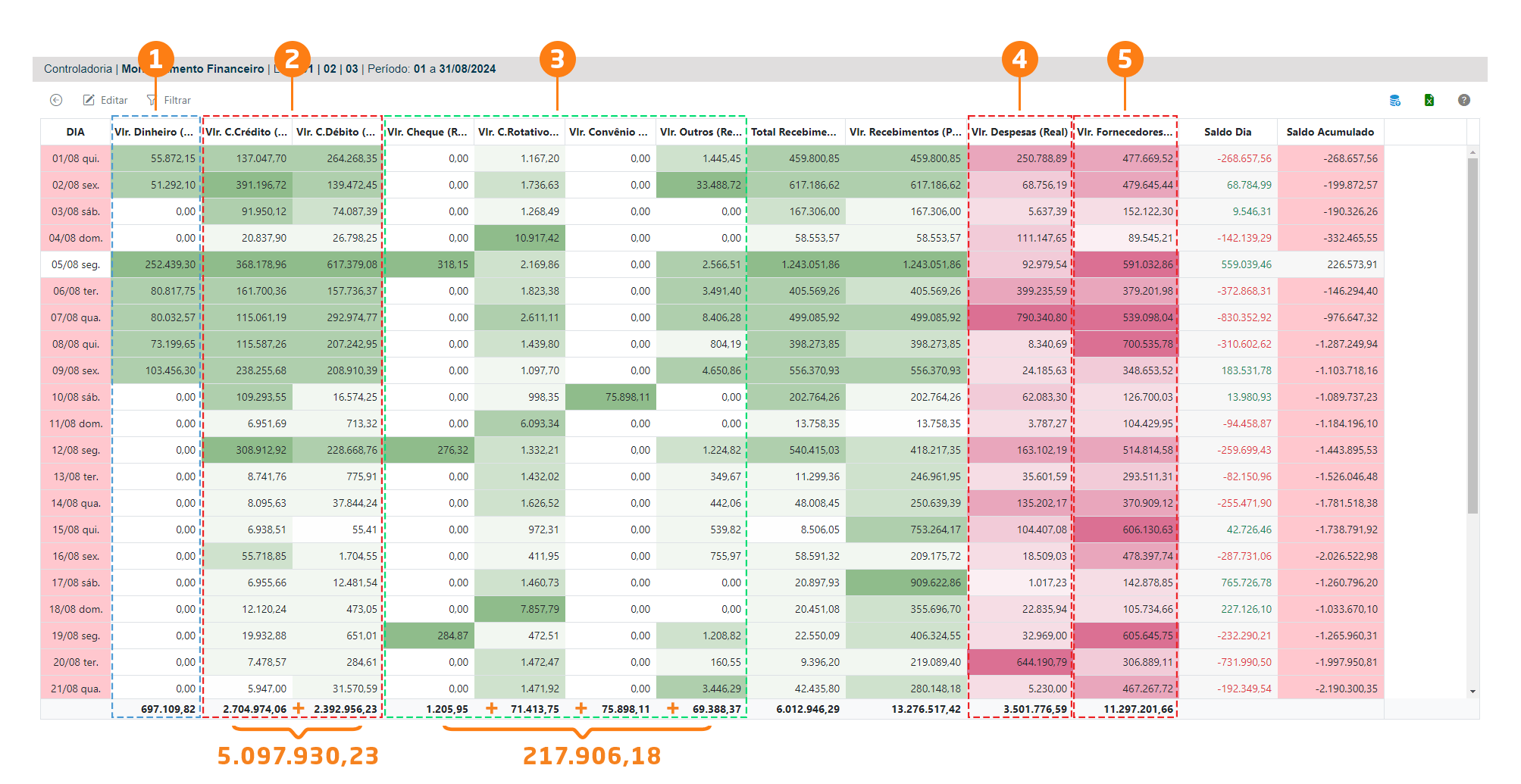
What do you want to verify?
To verify the following data:1. Cash Amount 2. Credit Card Amount and Debit Card Amount 3. Check Amount, Revolving Credit Amount, Agreement Amount, and Other Receipt Amounts 4. Expense Amount 5. Supplier Amount, follow the steps below:
1. Cash Amount
Access the correct VR Master screen to verify the Controller360 data:Financial / Cash / Receipt
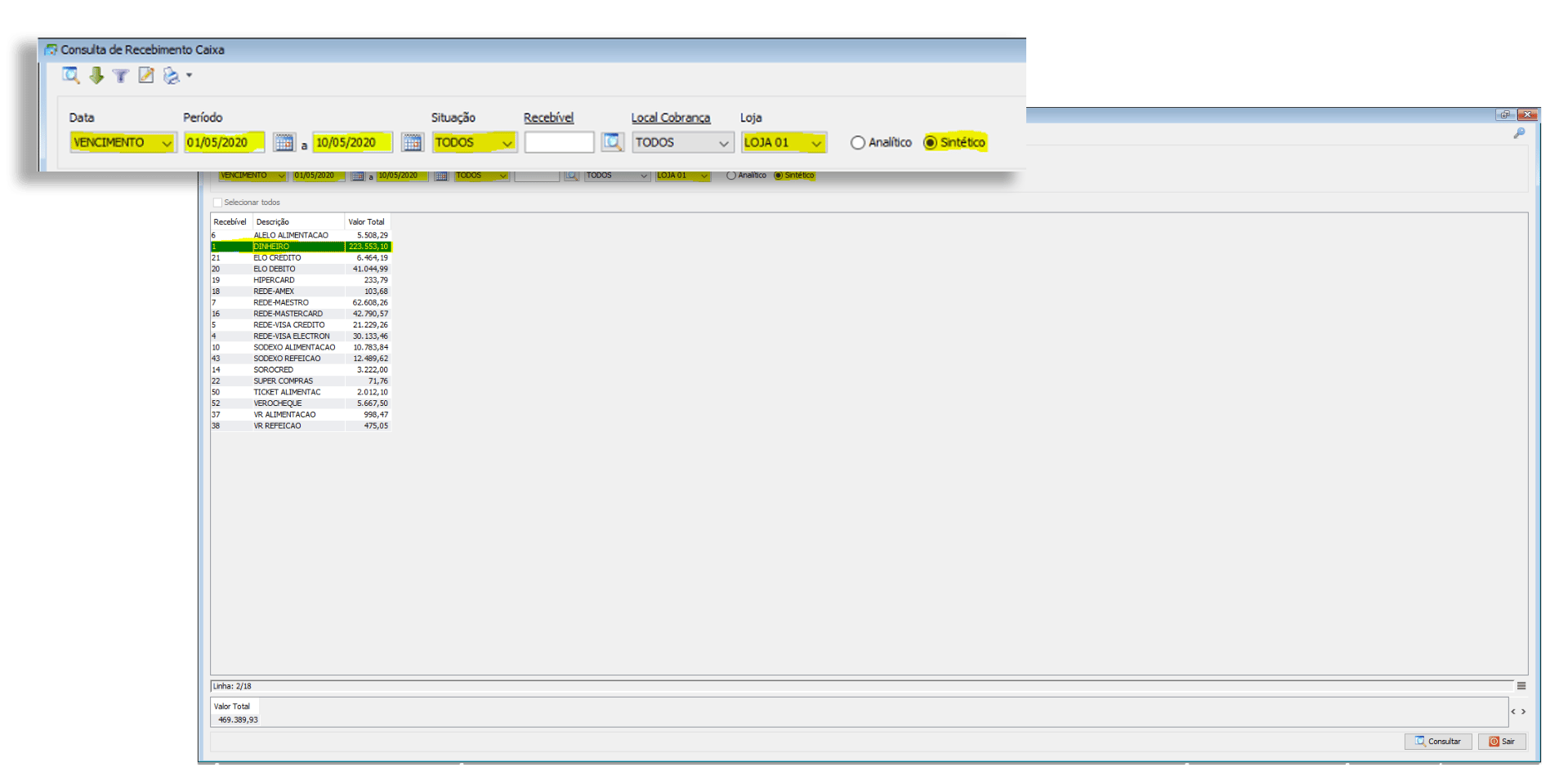
2. Credit Card Amount and Debit Card Amount
Access the correct VR Master screen to verify the Controller360 data:Financial / Cash / Receipt

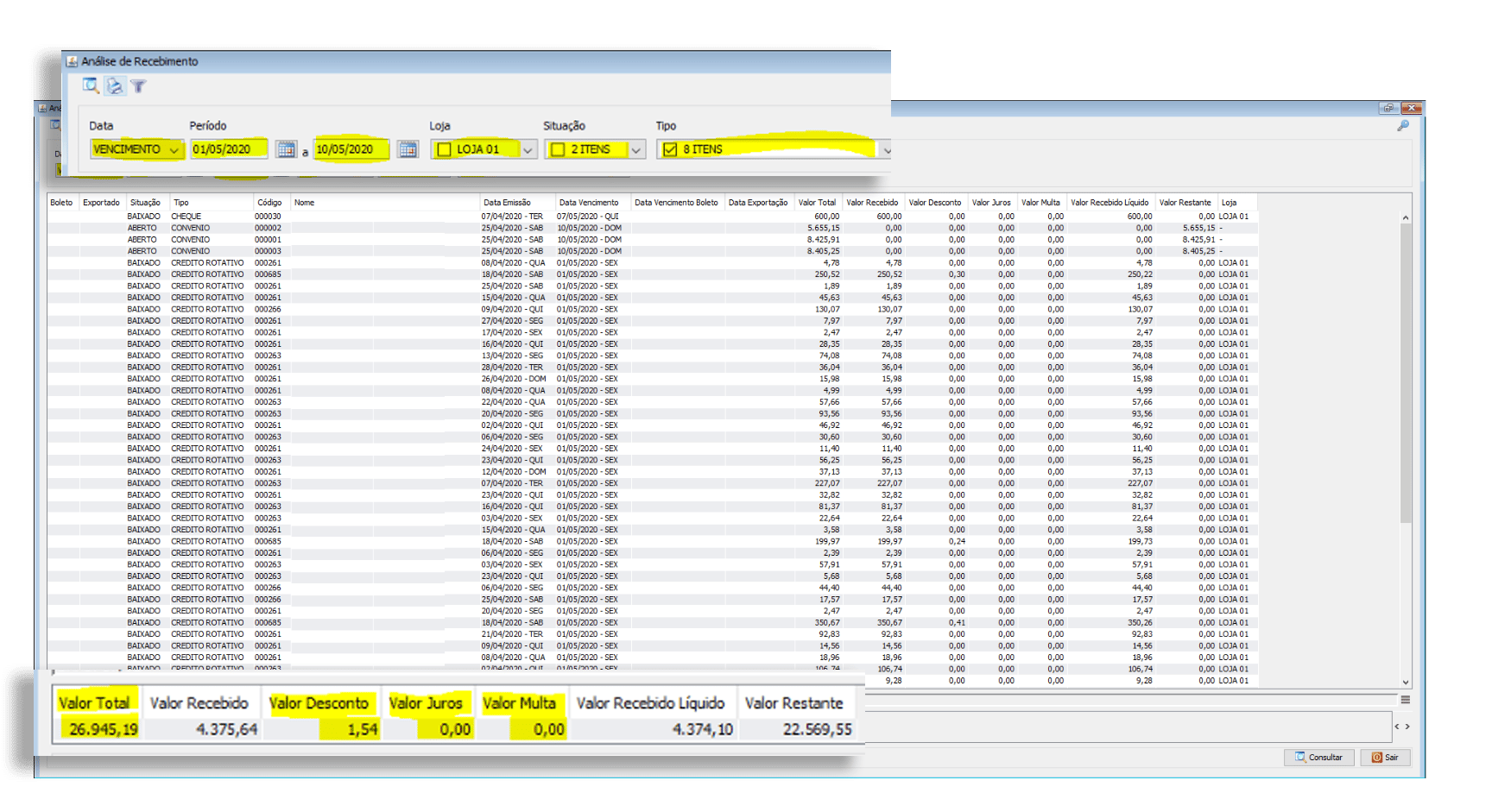
3. Check Amount, Revolving Credit Amount, Agreement Amount, and Other Receipt Amounts
Access the correct VR Master screen to verify the Controller360 data:Financial / Accounts Receivable / Receipt Analysis
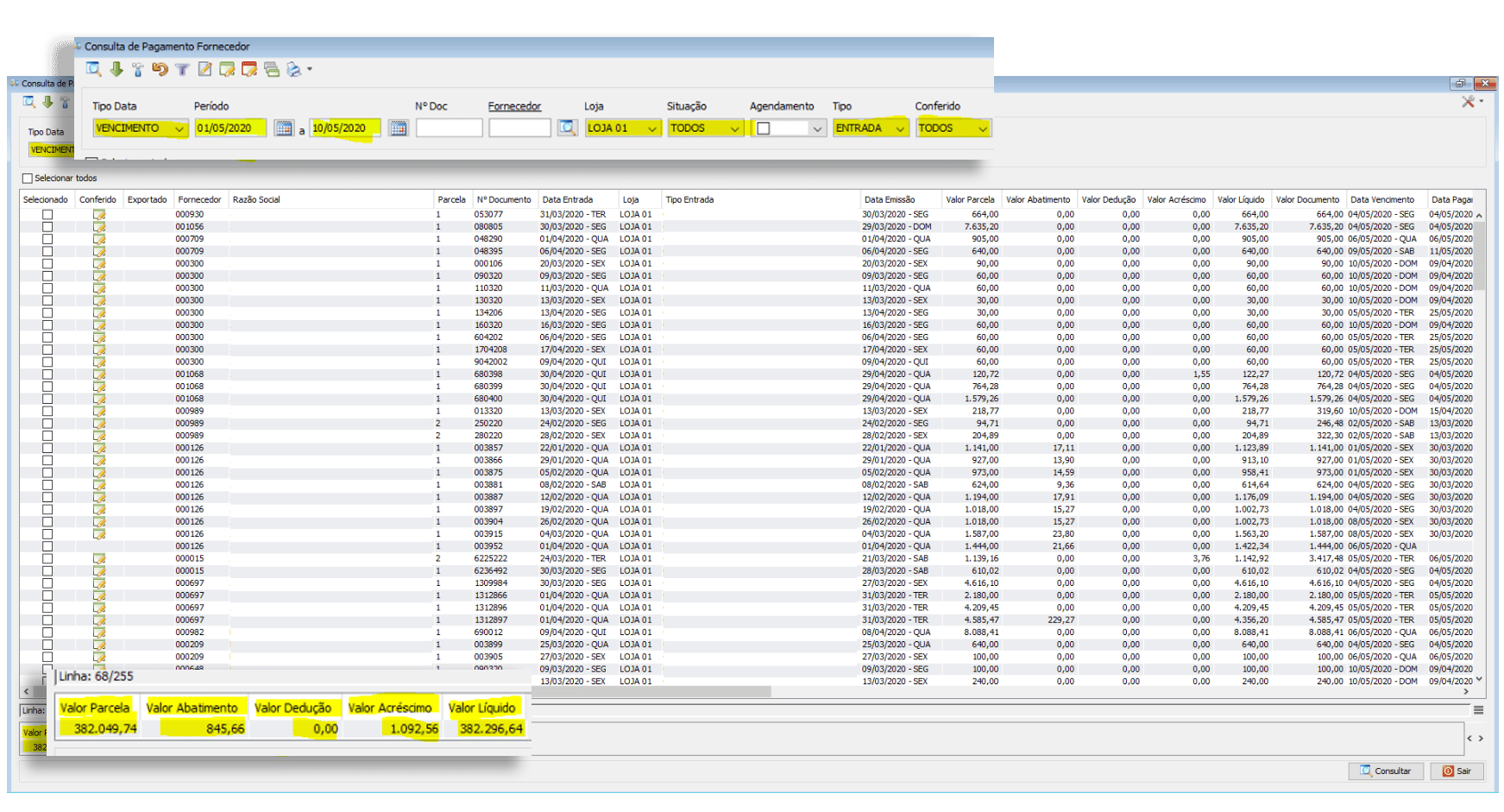
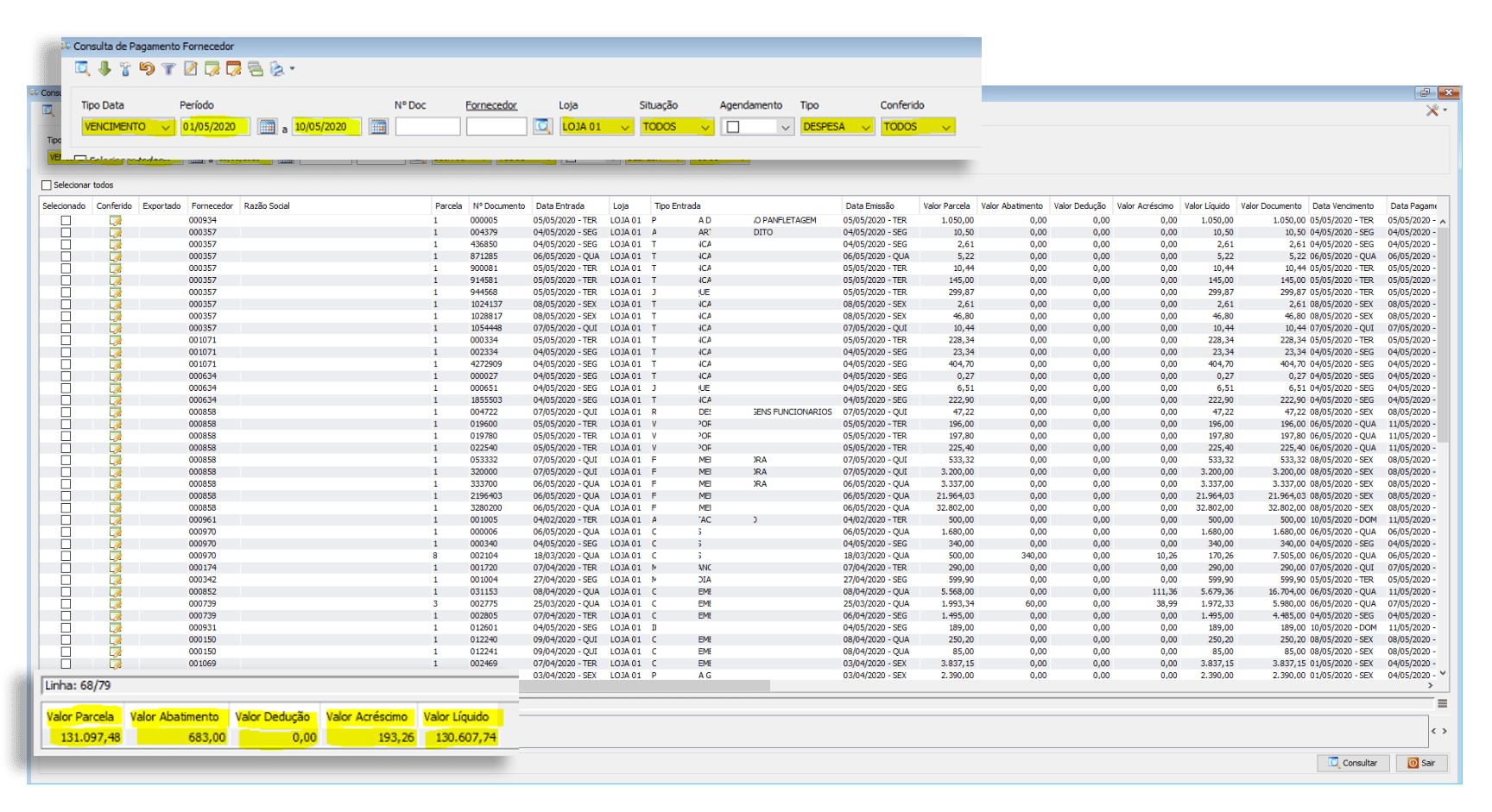
4. Expense Amount (Actual)
Access the correct VR Master screen to verify the Controller360 data:Financial / Accounts Payable / Supplier
5. Supplier Amount (Actual)
Access the correct VR Master screen to verify the Controller360 data:Financial / Accounts Payable / Supplier