
What do you want to verify?
To verify the data, follow the steps below: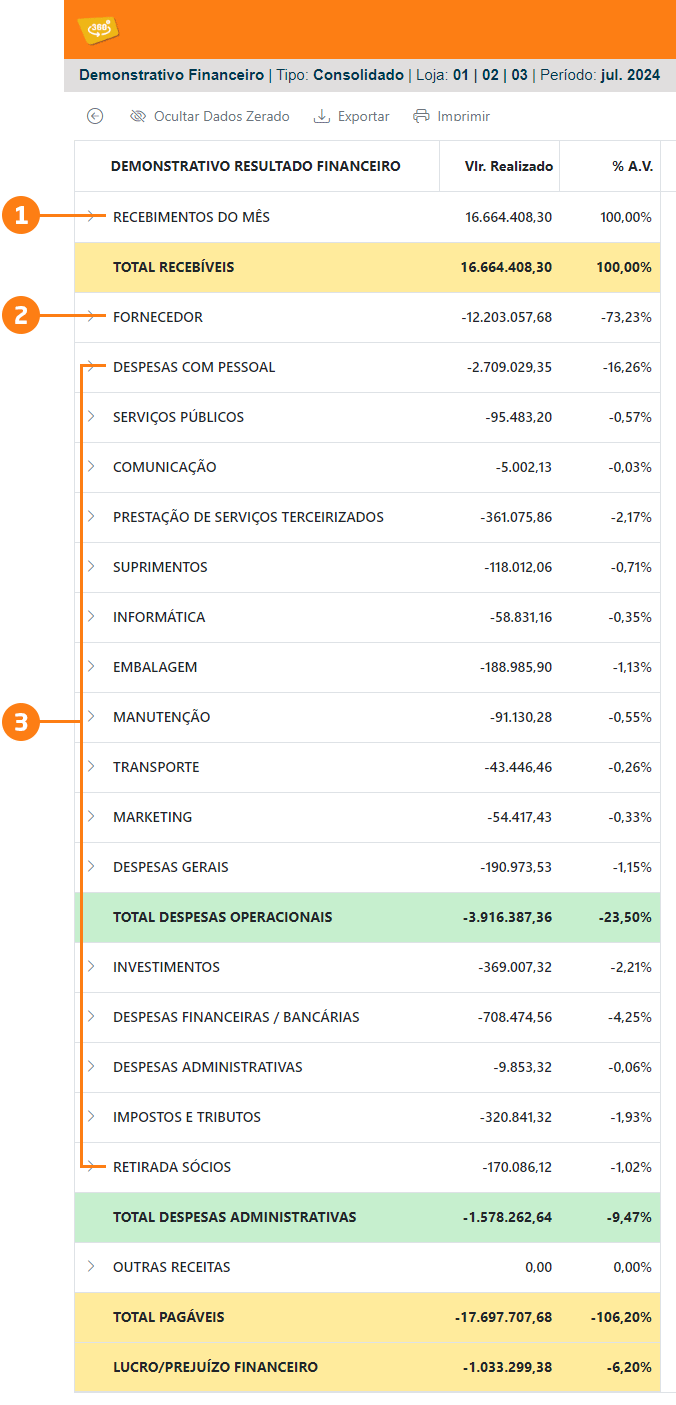
1. Monthly Receipts (By Due Date)
Access the correct VR Master screen to verify the Controller360 data:Financial / Accounts Receivable / Receipt Analysis

Cash
- Access the correct VR Master screen to verify the Controller360 data: Financial / Cash / Receipt
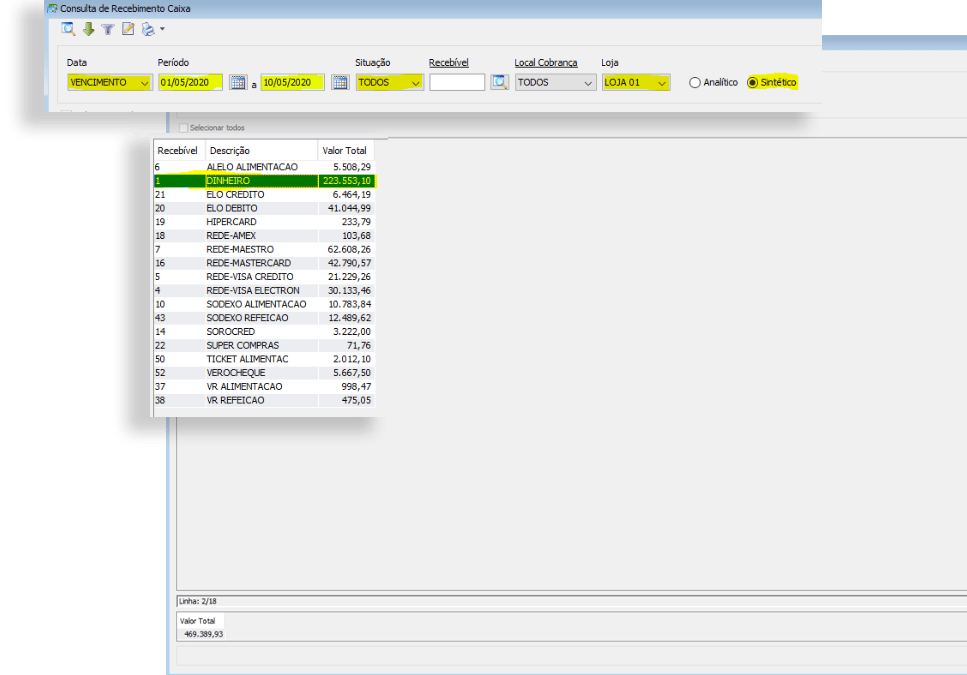
Credit Card (By Due Date)
- Access the correct VR Master screen to verify the Controller360 data: Financial / Cash / Receipt

Credit Card (By Payment Date)
- Access the correct VR Master screen to verify the Controller360 data: Financial / Cash / Cash Receipt Analysis

Debit Card (By Due Date)
- Access the correct VR Master screen to verify the Controller360 data: Financial / Cash / Receipt

Debit Card (By Payment Date)
- Access the correct VR Master screen to verify the Controller360 data: Financial / Cash / Cash Receipt Analysis

Checks, Revolving Credit, Funds, and Others (By Due Date)
- Access the correct VR Master screen to verify the Controller360 data: Financial / Accounts Receivable / Receipt Analysis

Checks, Revolving Credit, Funds, and Others (By Payment Date)
- Access the correct VR Master screen to verify the Controller360 data: Financial / Accounts Receivable / Receipt Analysis

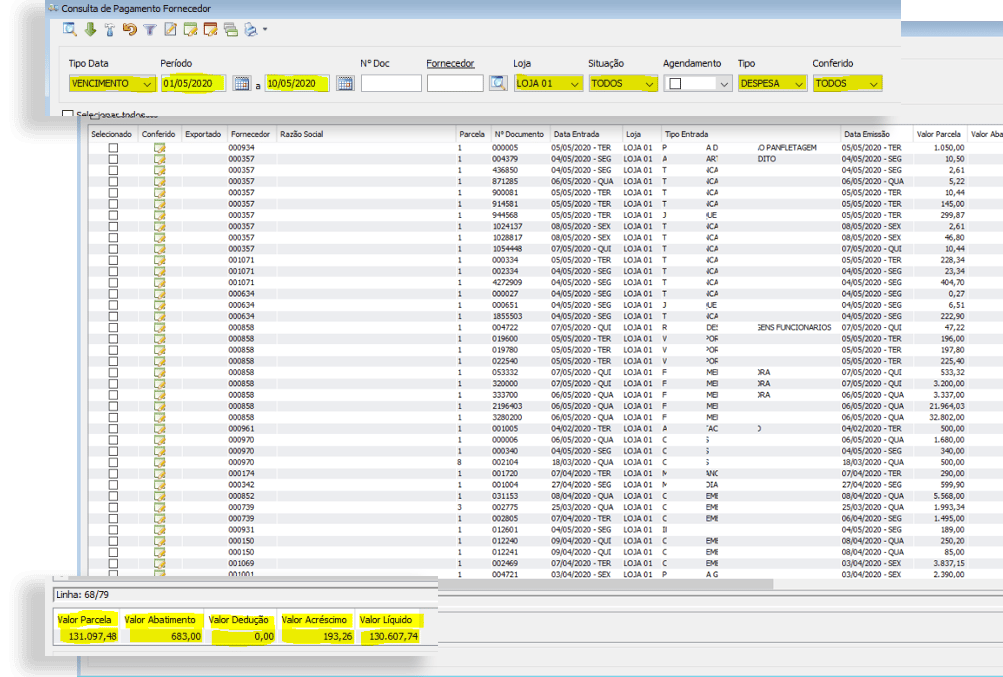
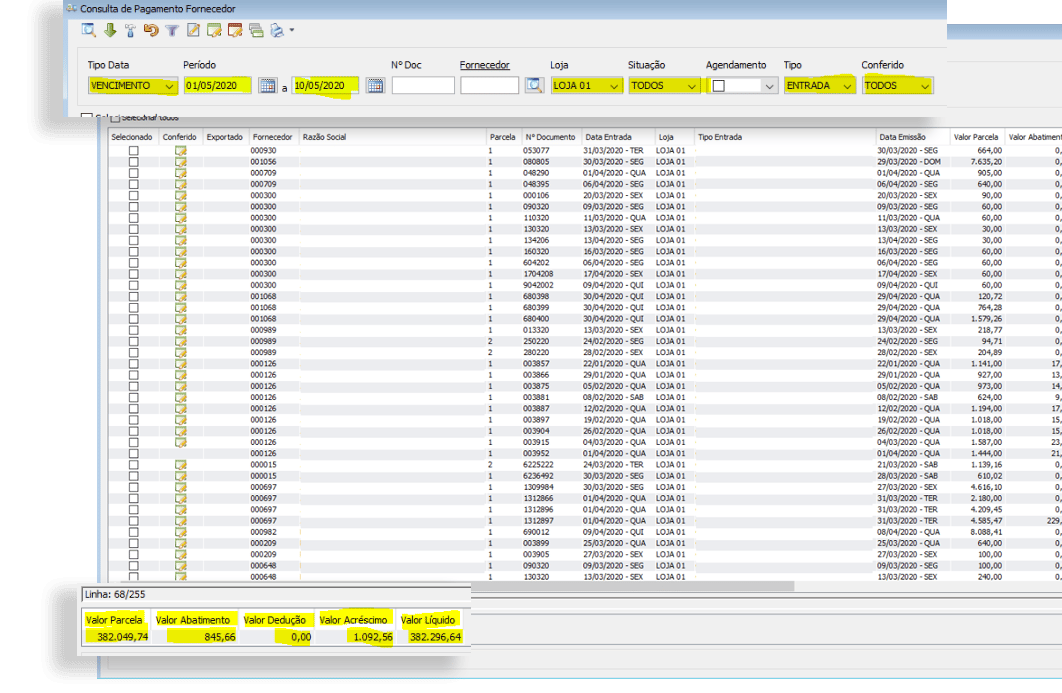
2. Supplier
- Access the correct VR Master screen to verify the Controller360 data: Financial / Accounts Payable / Supplier
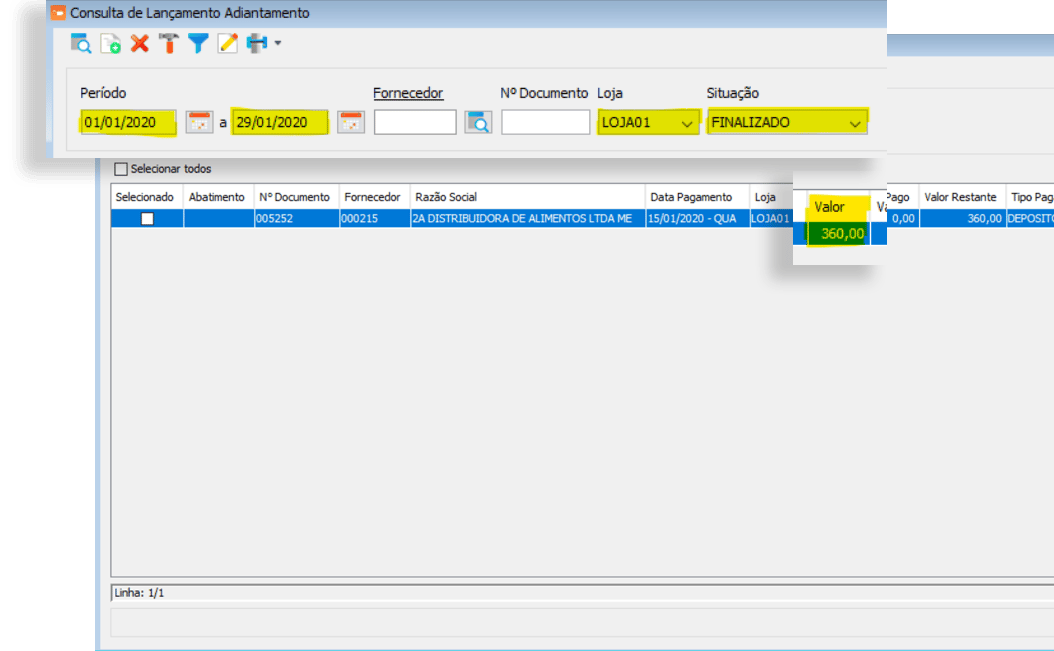
3. Supplier Advance
- Access the correct VR Master screen to verify the Controller360 data: Financial / Accounts Payable / Advance
4. Expense Payments
- Access the correct VR Master screen to verify the Controller360 data: Financial / Accounts Payable / Supplier
Difference Between DRO and Management Results
There are significant conceptual differences between the DRO and Management Results, as they use different calculation models. In the DRO:- Sales are presented as net values, meaning taxes are deducted.
- COGS is calculated without taxes.
- Sales taxes are calculated using estimates or stipulated values.
- Sales are presented as gross values, including taxes.
- COGS is calculated with taxes.
- Sales taxes are recorded according to the amounts actually calculated, based on the actual payment documents.